Handle errors in an automation
axiom.ai gives you a few ways to deal with errors that come up during a run. Use Try / Catch to recover and continue along a different path, or continue on error to ignore failures entirely.
Catch errors with Try / Catch
Wrap risky steps in a Try / Catch step to handle errors without stopping the whole automation. The steps inside the Try branch run as normal. If any of them throw an error, the automation jumps to the Catch branch and runs those steps instead.
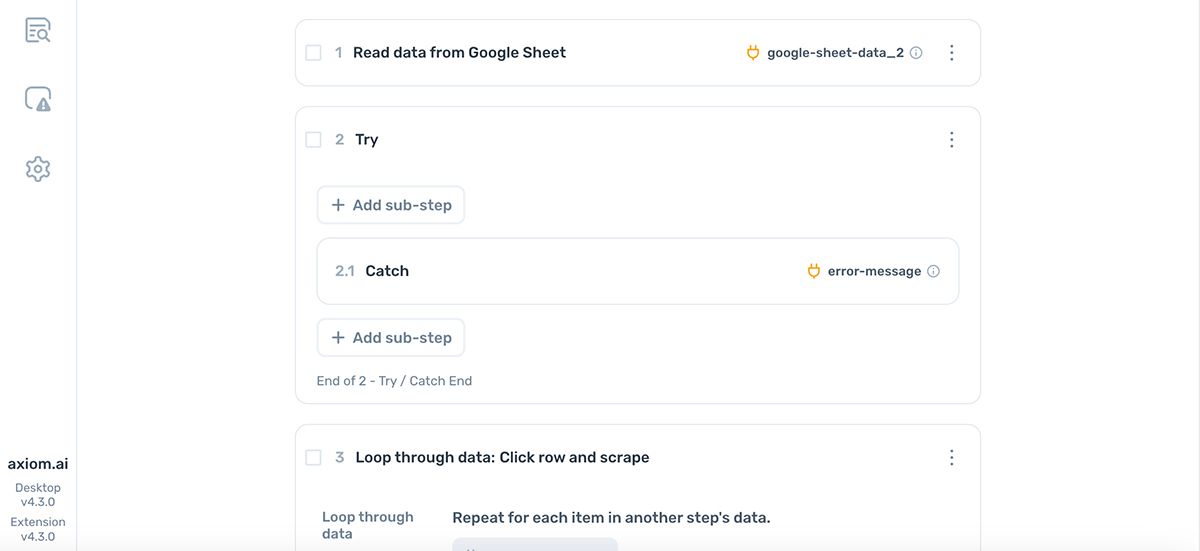
For example, put a Get data from current page step in the Try branch and recovery actions in the Catch branch. If the data isn't found on the page, the automation runs the recovery actions instead of failing the whole run. Without Try / Catch, the automation would stop at the failing step.
Ignore errors with Continue on error
By default, axiom.ai stops on the first error to prevent unexpected side effects. Toggle continue on error on to override that behaviour and let the automation push through errors.
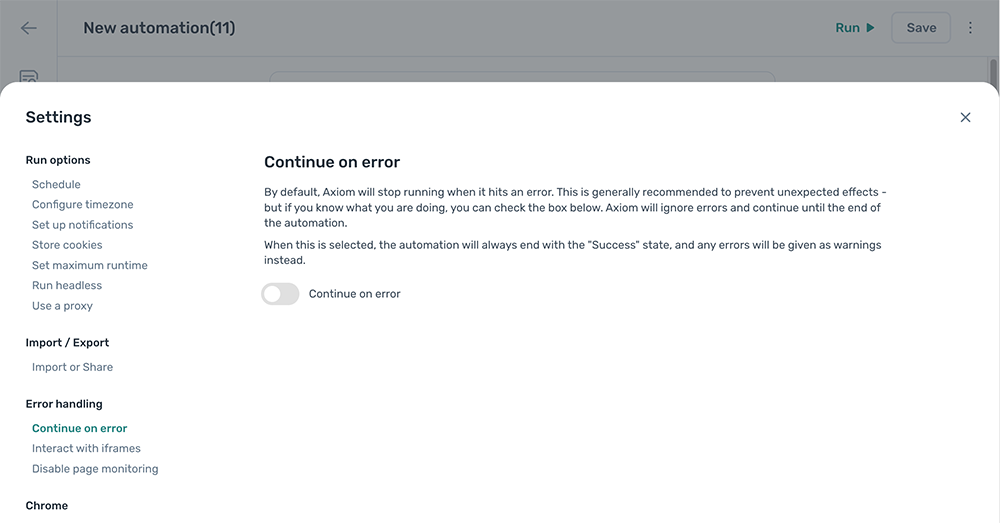
Note: With
Continue on errorenabled, every run reports as successful at the end regardless of how many errors occurred. Errors appear as warnings in run reports.
First-iteration loop errors
If a loop hits an error on its first row, axiom.ai treats it as a warning instead of an error. This means an empty data source or an unexpectedly bad first row doesn't stop the whole automation; subsequent iterations still run.
Get notified on run status
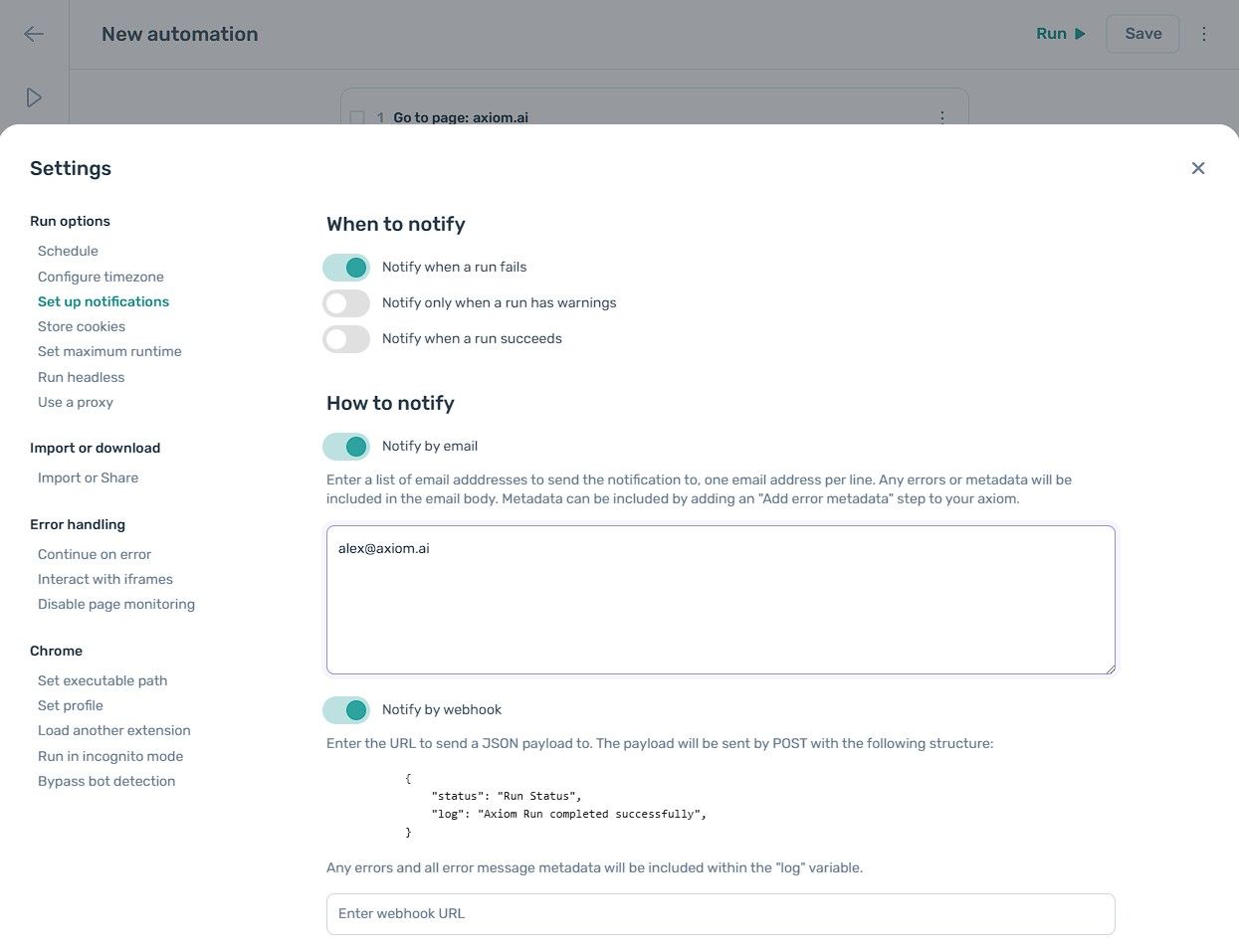
Set up notifications so you find out as soon as a run fails or finishes with warnings, instead of having to check the dashboard. Notifications can be sent by email or webhook and can fire on any combination of these events:
- A run fails.
- A run succeeds.
- A run succeeds with warnings.