Pass data between steps
Data imported or generated by one step can be passed to another step in the same automation. Steps expose their output as data variables, which you plug into later steps to transform, filter, or write that data elsewhere. To learn how to import data first, see the data tutorials.
Pass data from one step to another
To pass data into a step, look for the Insert data button on any field that accepts it. Clicking it shows a list of variables produced by earlier steps.
Like variables in code, a data variable is only available to steps added after the step that produced it.
Steps that output data
Many steps in axiom.ai output data. You can spot them by the orange plug icon in their header.
Each variable has a unique name that identifies the step it came from, for example google-sheet-data, custom-data, or scrape-data.

Steps that accept data
Fields that accept data show an Insert data dropdown. Selecting a variable from the dropdown passes that data into the current step.
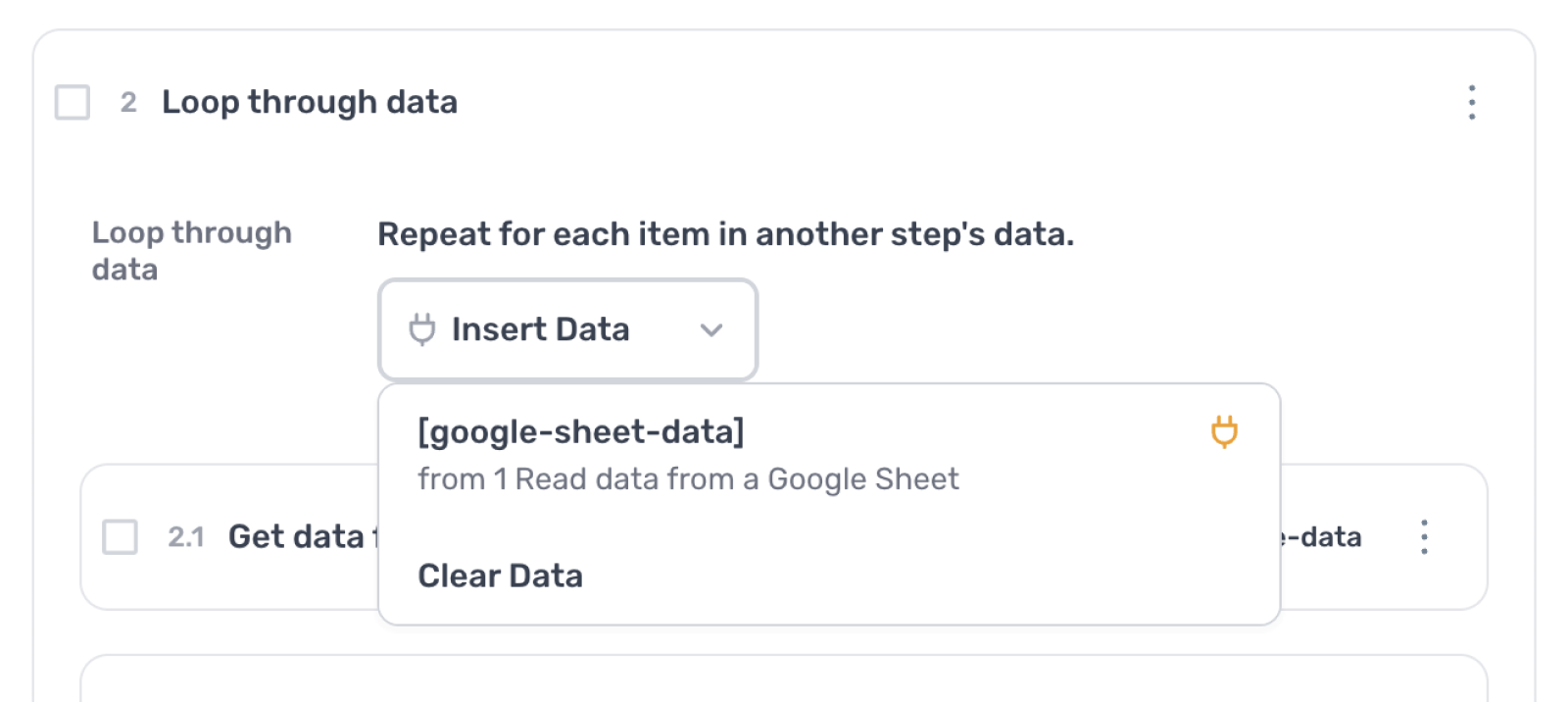
These are some of the steps you can pass data into:
- Go to page
- Enter text
- Extract data with ChatGPT
- Generate text with ChatGPT
- Export CSV
- Write to a Google Sheet
- Write JavaScript
- Join data
- Append data
Select what data to pass
When passing data, you can pass everything or select a subset. For variables that support this, a column-picker window appears when you add the data.
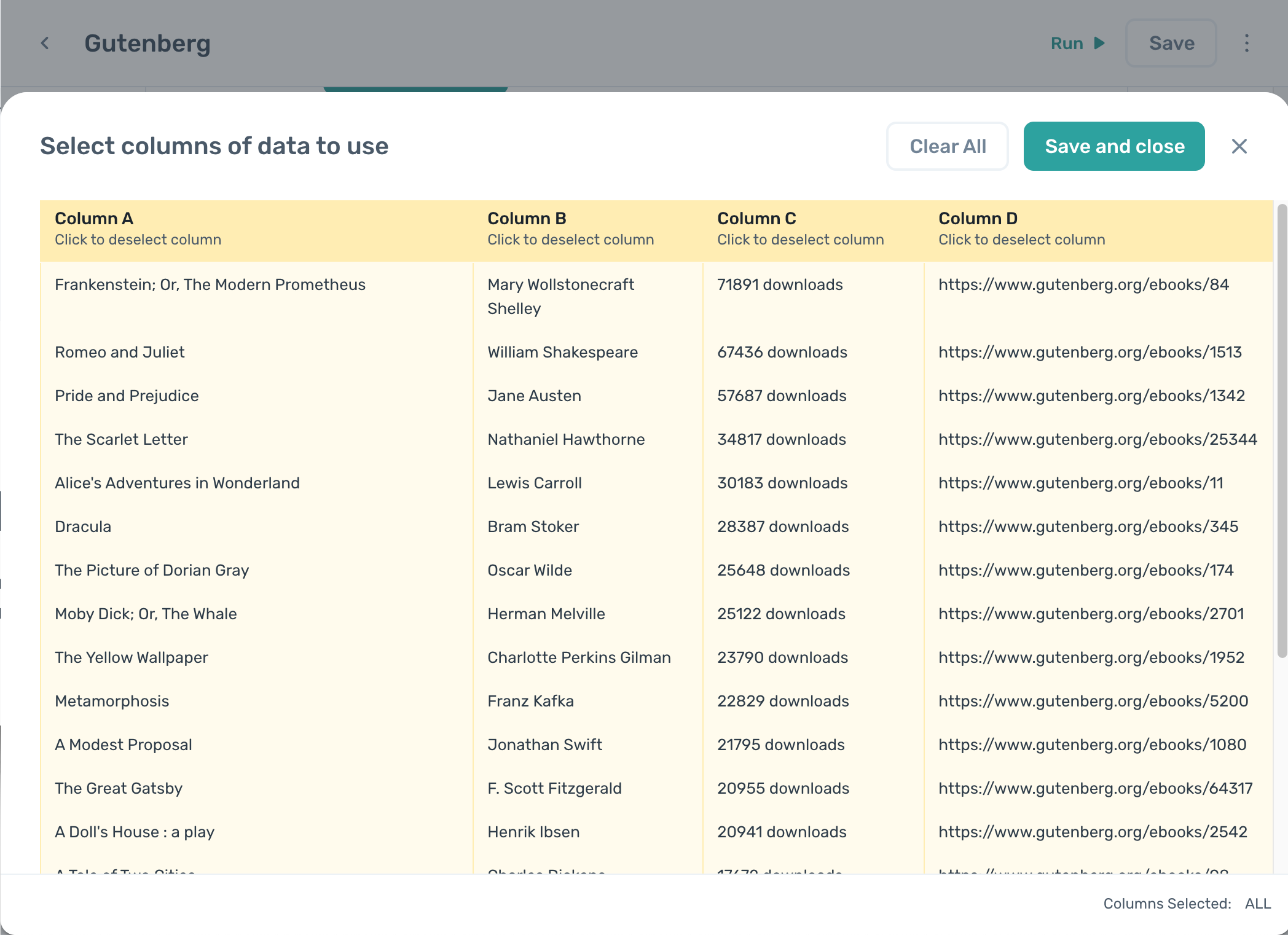
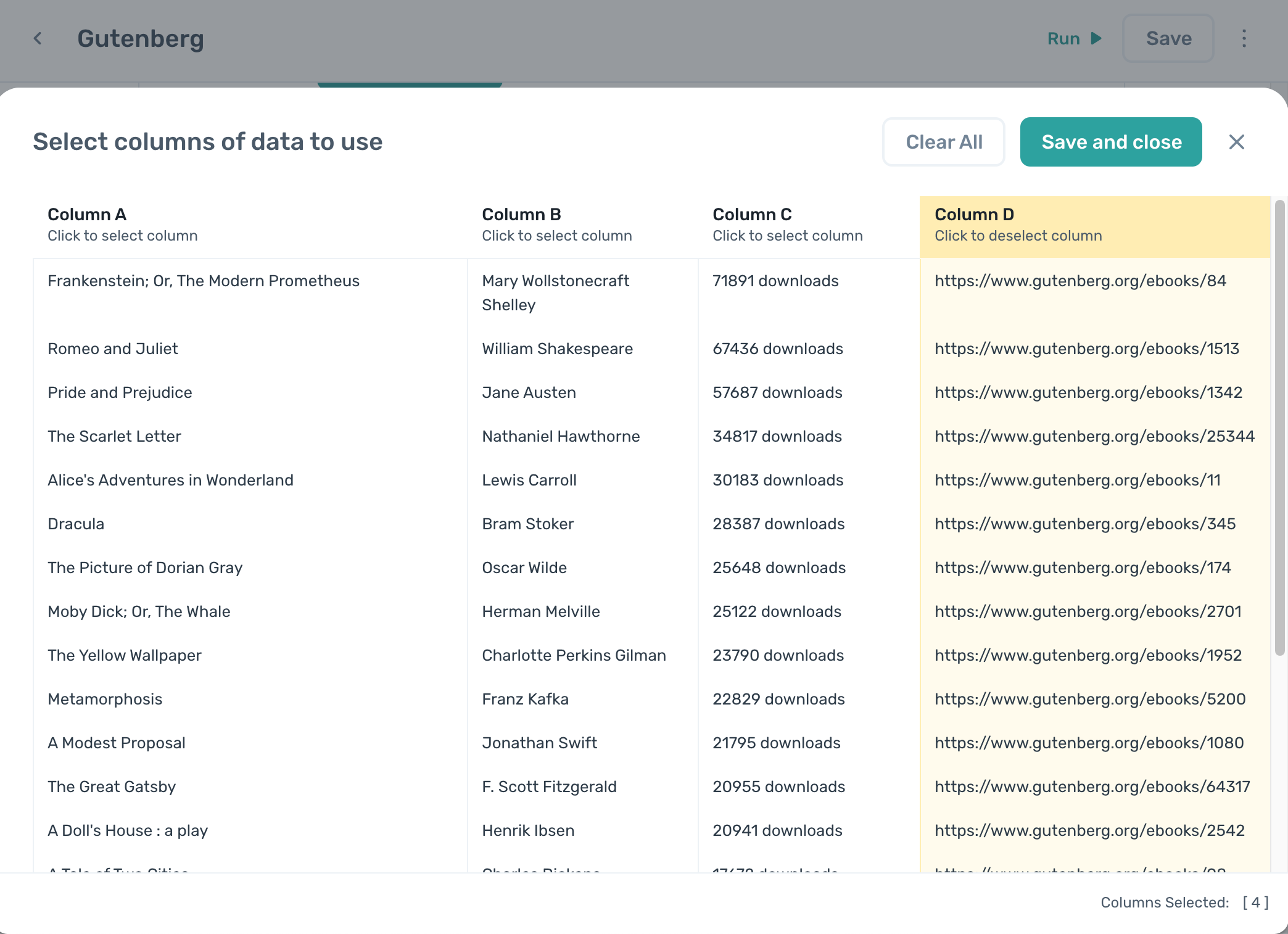
To pass specific columns, click Clear all then click each column header you want to include.
At runtime, the variable is replaced with the output from its associated step, exactly as if you had typed the data into the field manually.
Steps that require data input
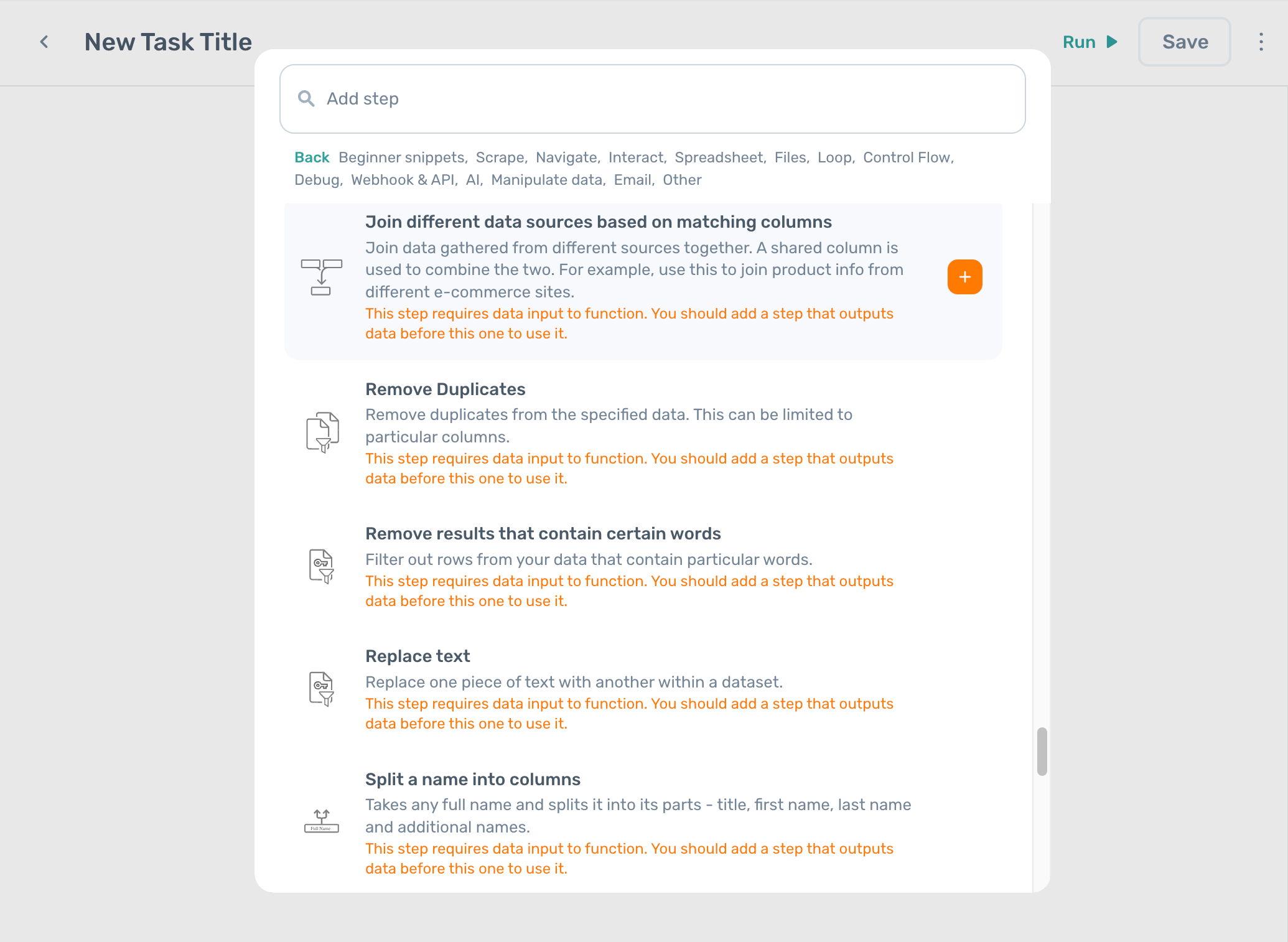
Some steps need data passed in to function. If you add one of these steps before a step that outputs data, you'll see this warning:
Warning: This step requires data input to function. You should add a step that outputs data before this one to use it.
Data formats between steps
Almost all step output is formatted as a two-dimensional array of rows and columns, the same as a spreadsheet. Steps that handle data accept this format and behave accordingly.
Data in axiom.ai is immutable: once a step outputs data, no other step modifies it in place.
When a step processes data, it reads the input variable and produces a new variable with the modified result. The original is left unchanged. This is how steps remove duplicates, filter rows, replace text, and so on.
Data variable types
Data variables store information for use during a run. axiom.ai has three variable types, each with a different appearance and behaviour.
Global variable
A global variable is accessible anywhere in the automation, and you always have direct access to all the data it holds. It is overwritten each time it's regenerated, so loops do not accumulate data into a global variable. To accumulate, use an accumulator variable instead.
Loop variable
A loop variable is the input to a loop. axiom.ai automatically selects the current row for each iteration. You can still pick a specific column from the row.
Accumulator variable
An accumulator is a special global variable that collects the output of every sub-step inside a loop. Data is appended in step order, and the accumulator persists across multiple loops.