Scrape a page into a Google Sheet
A good first automation. You'll scrape a table or list off a page and write every row into a Google Sheet. By the end you'll understand how data flows from one step to the next in axiom.ai, the mental model behind every automation you build after this.
What you'll build
An automation with three steps:
- Go to page: opens the page you want to scrape.
- Get data from bot's current page: scrapes it.
- Write data to a Google Sheet: saves each scraped row.
Optionally, add a schedule so the automation runs every hour, day, or week.
Build it from a description
The fastest way in: describe the task and let axiom.ai suggest the steps.
- On the What shall we automate? screen, click Build from description.
- In the Describe what the automation should do dialog, add these instructions, one per line:
- Scrape data from a webpage
- Save to a Google Sheet
- Click Suggest steps. axiom.ai suggests the steps to run: Go to page, Get data from bot's current page, and Write data to a Google Sheet.
- Click Configure steps to add them to the Builder.
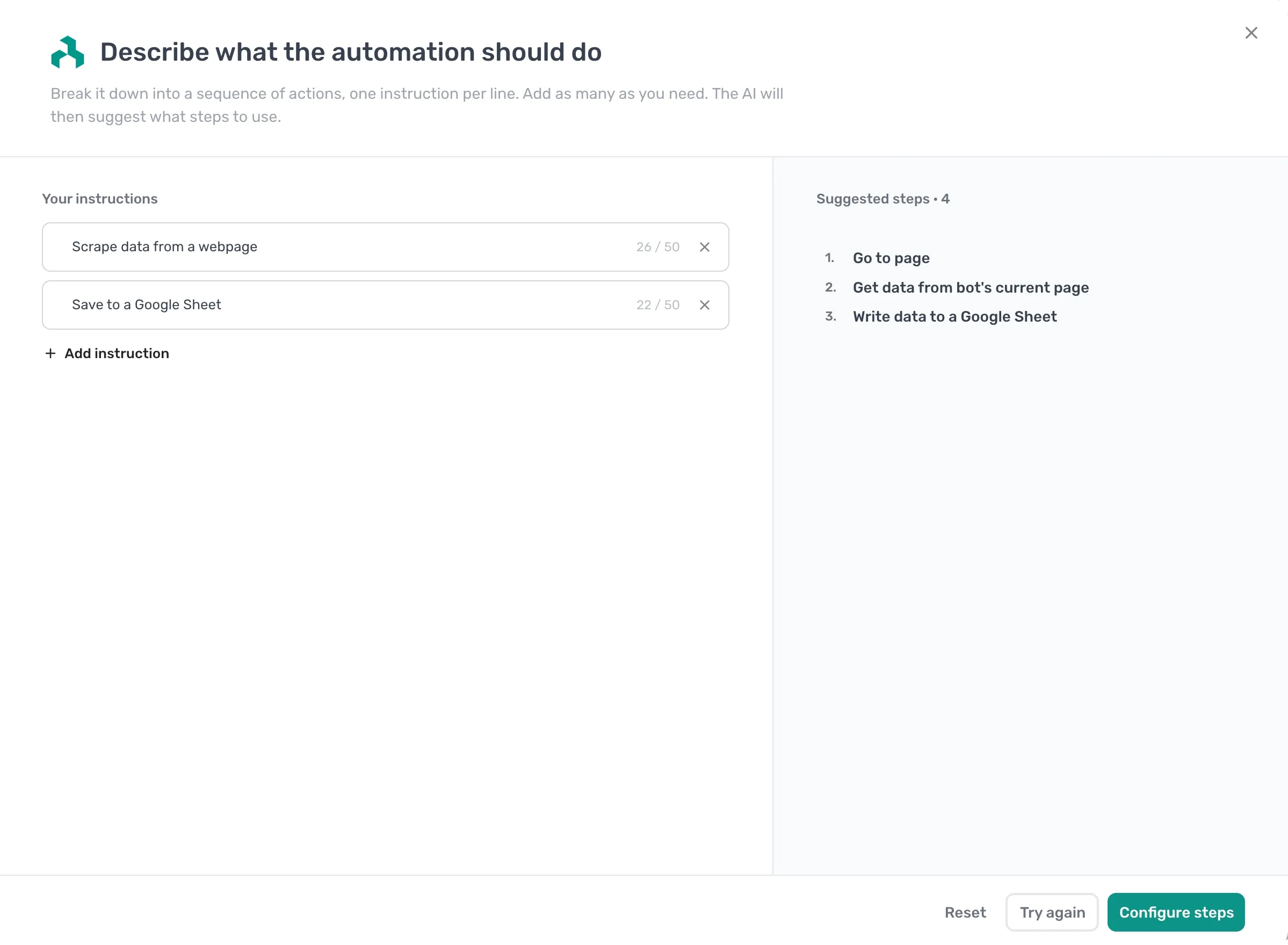
The suggested steps still need setting up: enter your URL in the Go to page step, pick your data with the selector tool, and connect your sheet, exactly as in Build it manually below.
Build it manually
Prefer to add the steps yourself? Build the same automation one step at a time.
- Add a Go to page step and enter the URL of the page you want to scrape.
- Add a Get data from bot's current page step. Use the selector tool to click the data you want. axiom.ai auto-detects repeating rows.
- Connect your Google account, then add a Write data to a Google Sheet step and point it at a sheet.
- In the sheet step, click Insert Data to reference the scraped data from the previous step, then pick which columns to write.
- Click Run to test, then check the sheet.
- If it works, schedule the automation to run automatically.
That's the whole shape: open the page, scrape the data, reference it in the next step, write it out.
Things worth knowing
- Scraped data comes back as a 2D array of rows and columns. Every step that reads another step's data reads it in this shape.
- The selector tool looks for repeating patterns. Click one item and axiom.ai finds the rest. Click a second example if the first doesn't capture everything.
- If the page loads slowly, use Configure scraper settings on the scrape step to add wait time. Worth checking if you see missing rows.