Live editor
The Live editor lets you test scripts on axiom.ai's hosted infrastructure without setting up a local Node.js environment. The page splits into two panels: a code editor on one side and a live browser on the other.
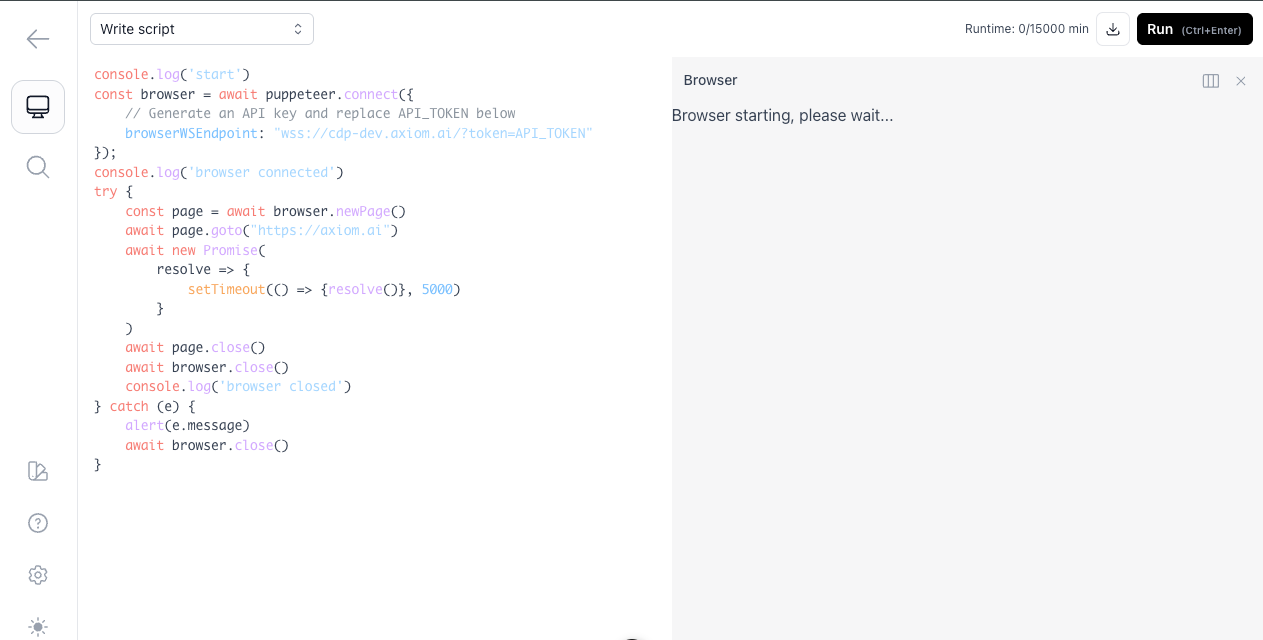
Code editor
The code editor includes sample scripts that show what's possible with axiom.ai and Puppeteer, and you can paste in your own scripts to run them on the hosted infrastructure. Click Run to execute the script.
Browser
The browser panel opens automatically when you click Run. It shows the hosted browser executing your script, so you can watch each action in real time. Use it to confirm the script behaves as expected and to spot pages that load differently than your script assumed.
To move the browser panel to fill the bottom half of the screen, click the three-column button to the left of the close button.