 Enter custom data step
The Enter custom data step stores a small amount of data typed straight into the automation, one row per line, and outputs it as the [custom-data] token for other steps to use through Insert Data. For example, store a list of CSS selectors and loop through them with a Click element step.
You can use this step to:
- Create a token with a number value
- Make a token with a text value
- Store a list, such as CSS selectors or URLs, to loop through
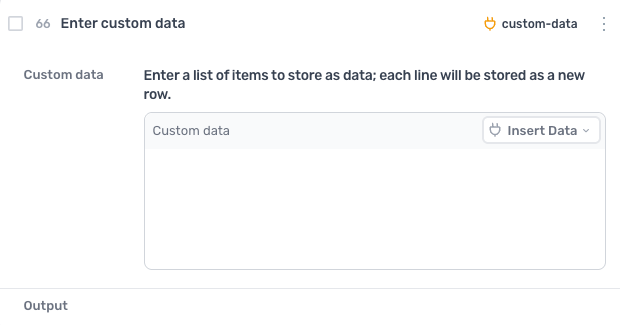
How to configure the Enter custom data step
Custom data
Enter the items to store, one per line; each line becomes a row. Click Insert Data to build the list from the data of earlier steps.
Guides that use this step
Bulk delete Gmail emails to clean up your inbox
- Take my list of senders and search terms
- Search my Gmail inbox for each one
- Select every email that matches
- Delete them all
Send Instagram DMs from a Google Sheet
- Read the profile links and messages from my sheet
- Skip any rows already marked Sent
- Open each profile link
- Check the profile header for the word Message
- If it is there, click Message and send the message
- Write Sent back into the row, in column C