 Replace text step
Use this step to find a piece of text in your data and replace it with another, in every cell where it appears. For example, scraped data that reads Red Shoes can become Stock level of Red Shoes is before it goes into a report. Leave Replace with blank to delete the text instead.
You can use this step to:
- Clean up scraped data
- Change values in data from a Google Sheet
- Change data in a CSV
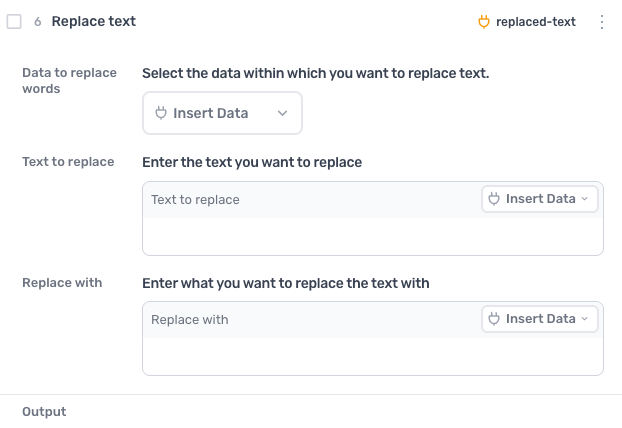
How to configure the Replace text step
Data to replace words
Click Insert Data and select the data to change. It can come from any earlier step, such as a Google Sheet or a webhook.
Text to replace
Enter the text to find, or click Insert Data to take it from another step.
Replace with
Enter the text to put in its place, or click Insert Data to take it from another step. Leave it blank to remove the text.
The step outputs the changed data as the [replaced-text] token.