 Click multiple elements step
Instruct the bot to click multiple buttons, links, or other elements with a common structure, ideal for listing and feed pages.
You can use this step to:
- Click buttons on listing pages
- Interact with buttons in feeds
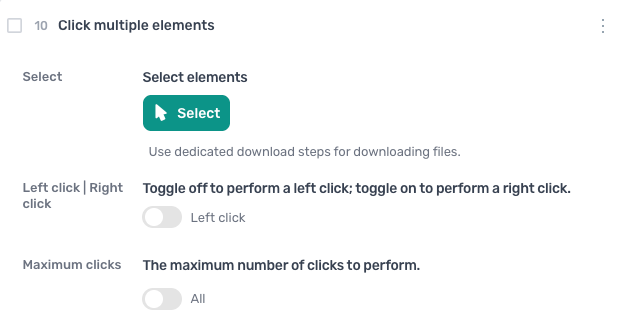
How to configure the Click multiple elements step
Select
Click Select to choose the elements you want to click. The display transforms into the Multi Selector: click two of the elements and it selects every element with the same structure.
The Multi Selector also lets you set the selector yourself, by choosing Custom selector from the column's dropdown menu:
- Enter a custom CSS selector
- Pass a selector in from a data source like a Google Sheet, by ticking Set selector from data
Left click | Right click
Toggle off to perform a left click; toggle on to perform a right click.
Maximum clicks
The maximum number of clicks to perform. Leave the switch off to click every selected element, or turn it on and enter a number to stop after that many.
Guides that use this step
Loop through a list of buttons with CSS selectors
- Go to the page with the list of buttons
- Read the button selectors from my sheet
- Click each of those buttons in turn