 Click social media buttons step
Click on a social button such as like, follow, etc. but only if it has not already been clicked. Create web automations for any social media platform with this handy step and others. Why not try this Instagram template.
You can use this step to:
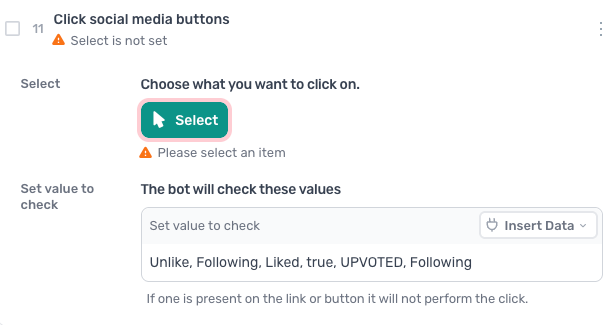
How to configure the Click social media buttons step
Select
Click Select to choose the button you want to click. The display transforms into the Single Selector: describe the element or click it on the page, and AI generates the selector with a fallback.
The Single Selector also lets you set the selector yourself, by clicking Custom:
- Use a custom CSS selector
- Select the element by its text, for example Follow for a follow button, using the Text option
- Pass a selector in from a data source like a Google Sheet, using the Data option
Set value to check
The bot will check these values. If one is present on the link or in the button code, it will not perform the click. We have set some default values to check for in the HTML. You may need to use the Chrome Inspector tool to work out new values to check for.