Write data to Airtable
The Write data to Airtable step writes data from your automation into an Airtable table, so you can store, organise and use the results in a structured base.
Airtable has to be connected to axiom.ai first: the Airtable integration page covers the connection, where to find the base ID and table, and what the step reads or writes.
You can use this step to:
- Export scraped data into Airtable
- Send form submissions directly to Airtable
- Store automation results in Airtable for later use
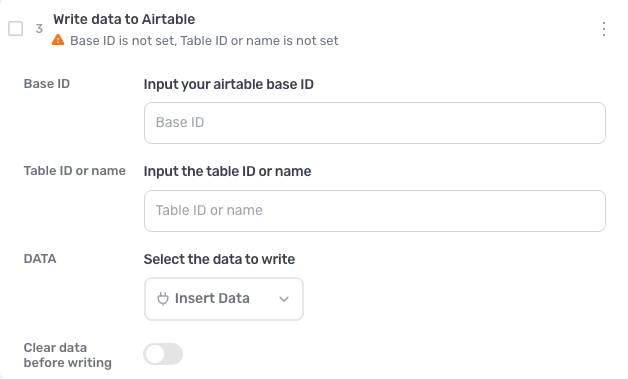
How to configure the Write data to Airtable step
Base ID
Enter the ID of the Airtable base, the part of the base's URL that starts with app.
Table ID or name
Enter the table's ID, the part of the URL that starts with tbl, or its name as shown on the tab.
DATA
Click Insert Data and select the data to write. Each column goes to the field in the same position, first column to first field, and the step writes to text fields only, so make every field the data reaches a single line text or long text field.
Clear data before writing
Turn the switch on to delete the table's existing records before writing. Off, the new rows are added to what is already there.
Guides that use this step
Post data to Airtable with the Airtable API
- Go to the page I give you
- Scrape the details I want from it
- Add each row as a new record in my Airtable table
Scrape a list of URLs from Airtable back into Airtable
- Read the URLs from the Pages table in my Airtable
- Open each one and ask me which data to scrape
- Add the scraped data to Airtable in Results