Run via API on desktop
Turn this setting on to allow a webhook or API call to queue a run of this automation on your own desktop app, rather than on axiom.ai's cloud infrastructure. Useful when an automation needs to run locally, for example because it depends on local files, a locally-installed app, or a network only your computer can reach, but you still want to kick it off from somewhere else, like Zapier, Make, or your own backend.
This setting requires a Pro tier subscription or above.
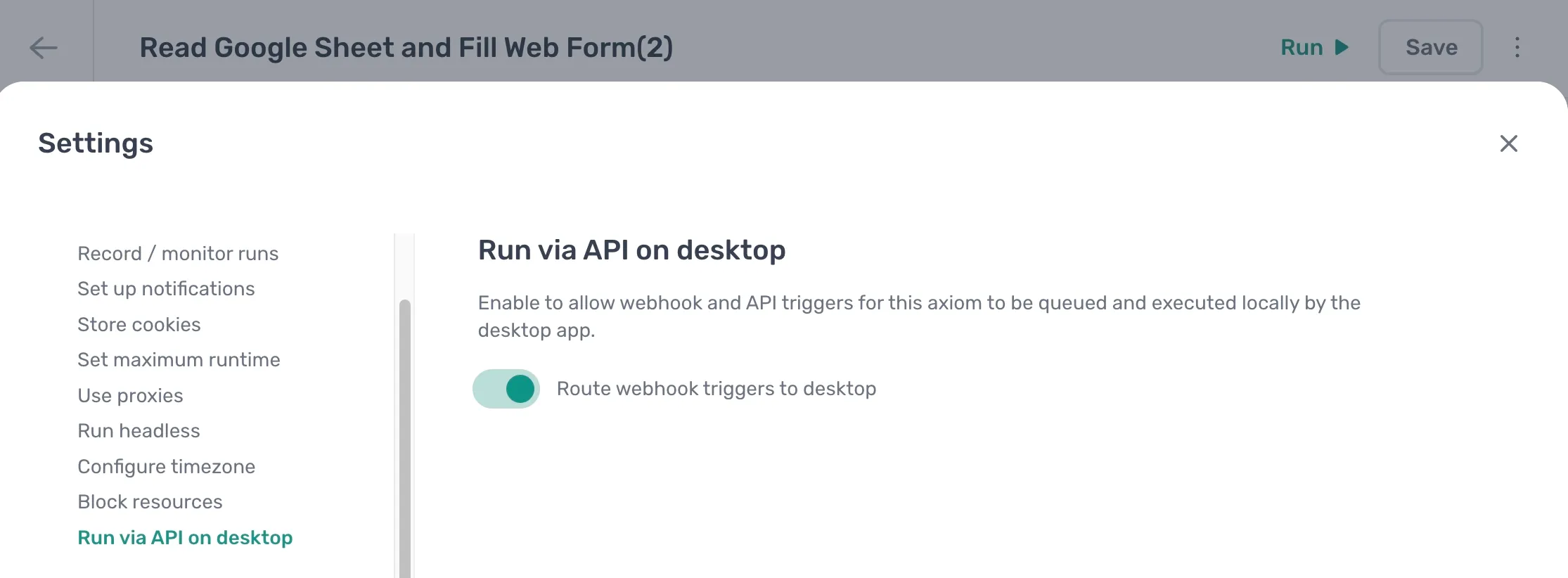
Enable desktop webhook triggers
- Open the automation and click the Cog icon in the toolbar on the left.
- Open the Run via API on desktop section under Run options.
- Turn on Route webhook triggers to desktop.
Logged-in sites need stored cookies
A run queued this way is started by the desktop app on its own, with no browser session attached. It does not pick up the cookies from your Chrome, even if Chrome is open at the time. If the automation needs to be logged in, turn on Store cookies and sync the cookies for the sites it visits. Without that, the run starts logged out.
The same applies to scheduled runs on the desktop app. A run you start yourself with Run w/ desktop app is the only desktop run that uses your browser's cookies directly.
If you would rather not keep cookies in sync, log in with saved credentials instead. The automation signs in on every run with a saved username and password, so there is nothing to expire.
Trigger the run
Once enabled, send the request described in Trigger a desktop run. You'll need the automation's exact name and your API key.
For the automation to actually run, the axiom.ai desktop app needs to be installed, running, and logged into the same account. If it isn't running when the trigger arrives, the run starts as soon as it's next online, as long as that happens within 24 hours.