 Generate random password step
This step generates a random password of the length you set, output as the [random-password] token. Pass it into an Enter text step to type it into a form, and into a Write data to a Google Sheet step to keep a record of it.
You can use this step to:
- Test account login pages
- Create new user accounts
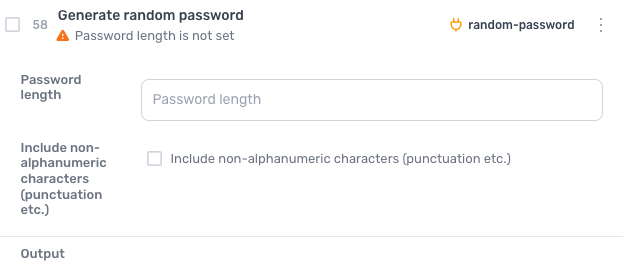
How to configure the Generate random password step
Password length
Enter the number of characters the password should have.
Include non-alphanumeric characters
Tick to include punctuation and other symbols as well as letters and numbers.