 Clear data from a Google Sheet step
This step clears the contents of the selected cell range while preserving formatting in a Google sheet. Use this step to clear data stored in a Google Sheet rather than deleting rows.
You can use this step to:
- Clear values from a Google Sheet
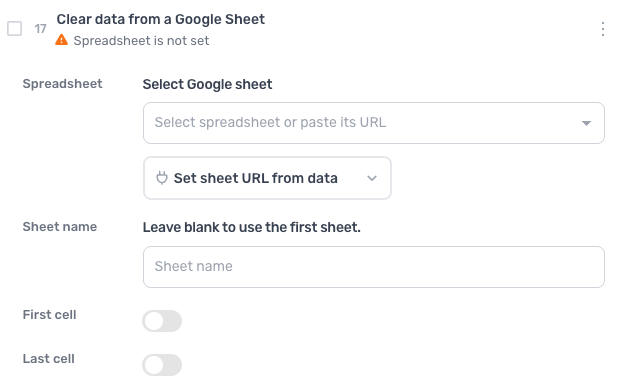
How to configure the Clear data from a Google Sheet step
Spreadsheet
Select a Google Sheet to clear, or paste its URL. You can also click Set sheet URL from data to pass a spreadsheet URL in from another step.
Sheet name
Leave blank to use the first sheet or select a sheet name.
First cell
Turn the switch on and enter a column and row, such as B10, to start clearing from that cell: the second column on the 10th row. Off, the clear starts at the first cell.
Last cell
Turn the switch on and enter a column and row, such as B100, to stop clearing at that cell: the 100th row in the second column. Off, the clear runs to the end of the sheet.