Microsoft Excel
Connect Microsoft Excel to axiom.ai to read data into your automations and write results back. The integration uses Microsoft's Graph API and currently requires a work or school Microsoft account.
Connect a Microsoft account
Important: A work or school Microsoft account is required. Microsoft's API restricts file availability for personal Microsoft accounts.
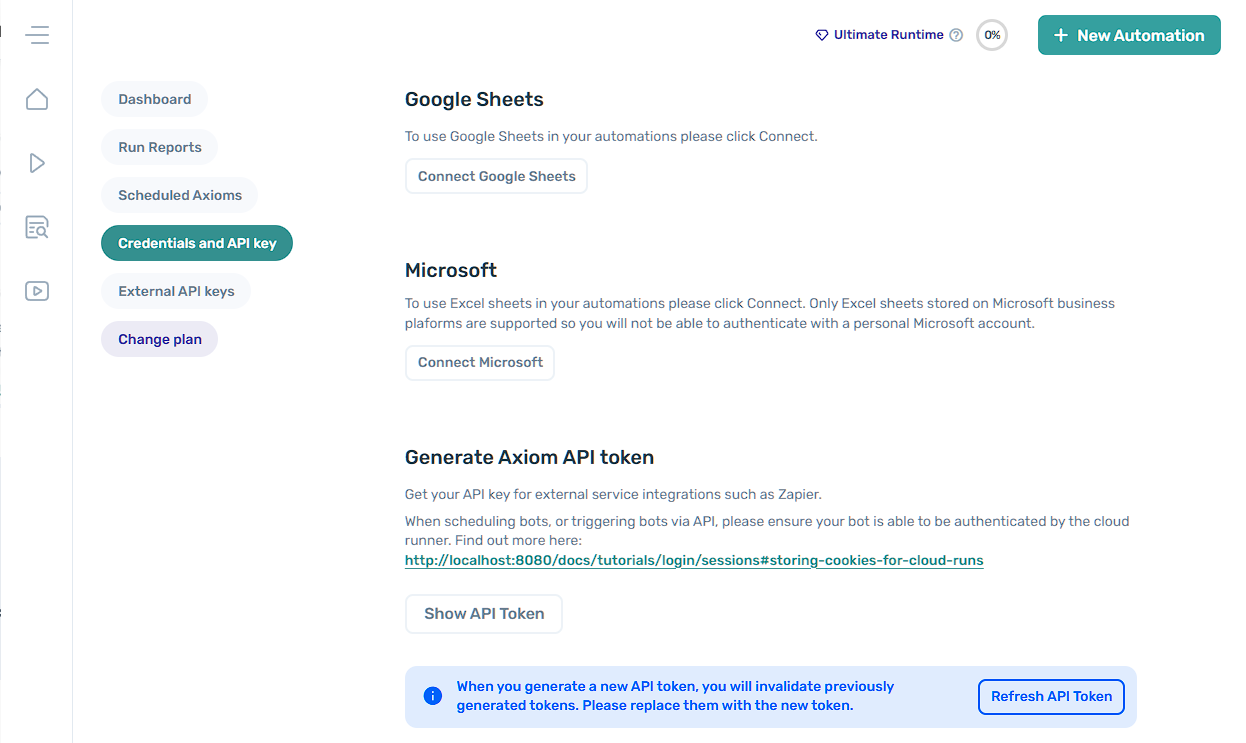
- Open axiom.ai.
- Navigate to Credentials and API key.
- In the Microsoft section, click Connect Microsoft.
- Follow the on-screen instructions to sign in.
Disconnect a Microsoft account
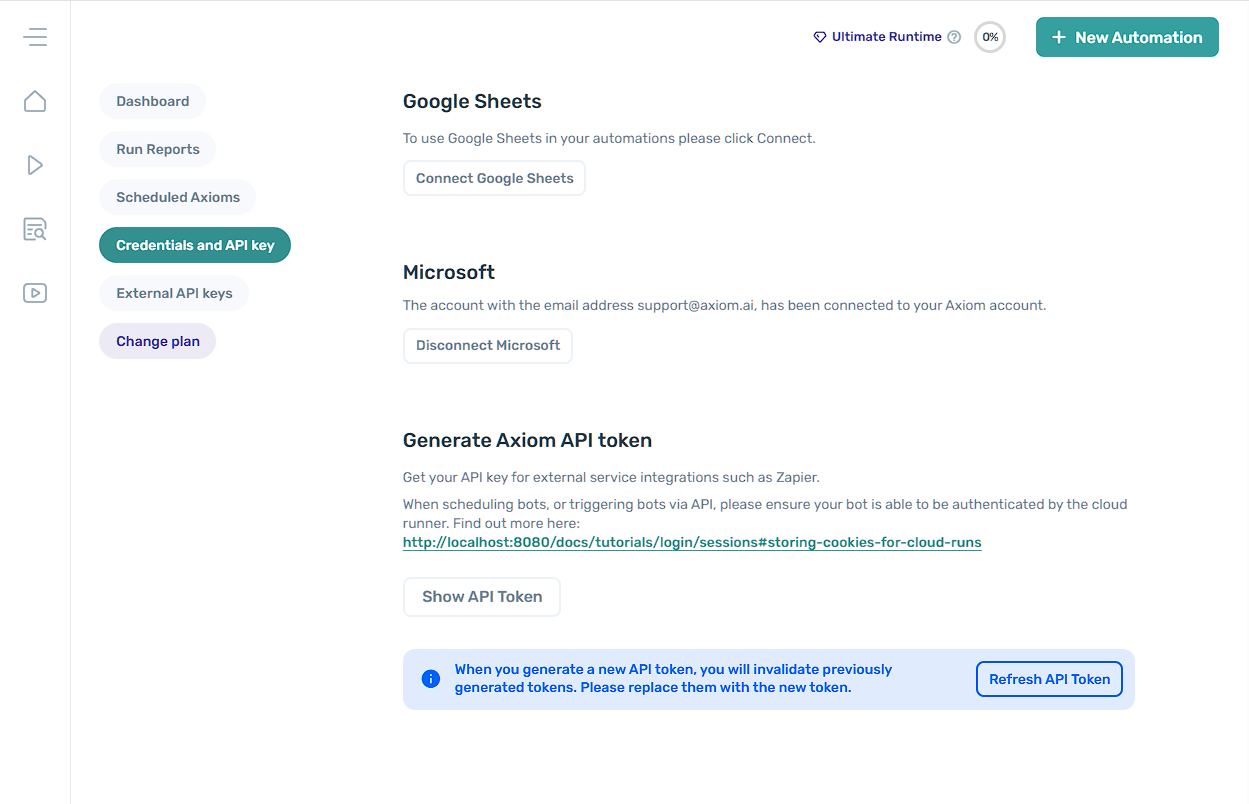
- Open axiom.ai.
- Navigate to Credentials and API key.
- In the Microsoft section, click Disconnect Microsoft.
- Follow the on-screen instructions.
Excel steps
Two steps are available once Microsoft is connected:
Microsoft token expiry
When you connect Microsoft to axiom.ai, axiom.ai stores a token from Microsoft instead of your password. Microsoft sometimes expires these tokens with no notice.
This is controlled entirely by Microsoft. The most common pattern we've seen is high-frequency reads and writes triggering the expiry. If your token expires often, consider running the automation less frequently.