New tool: run code in remote Chrome browsers, right from your IDE
Are you a developer building automations, web scrapers or testing web apps? Would it help if you could launch your code across multiple Chrome browsers remotely?
After creating the best no-code browser automation tool, we want to do it again! This time, we're building a tool designed for devs. One that works with your stack, built from the ground up on our battle-tested infrastructure. The MVP is now ready to use. As we did with our no-code tool, we want your input to help shape it.
Running browser automations at scale is hard
You don't need us to tell you that running scripts at scale in the browser is hard. Bot blocking platforms like Heroku or Cloudflare exist to stop your web scraper in its tracks. Then come the memory issues. You can whizz through hundreds of Wikipedia pages, but hit a site full of animations and you'll max out Chrome's memory and crash your server in an instant.
The browser environment is still the wild west. Our goal is to tame it for developers and non-coders alike.
Who is this tool for?
The tool is raw. We haven’t focused on packing it with features before shipping. If you’re a developer working in the browser, creating web automations, web scrapers, or testing apps, and you’re interested in using a tool that will be built closely with your feedback, it’s worth trying. If you’re looking for an endpoint to run code in a remote browser, this tool is for you.
Is the tool production ready?
Yes, the MVP is live, tested, and working. You can sign up for a free account and get 30 minutes of runtime to try the tool. Is it production ready? It’s early days, but yes. The infrastructure is battle tested on our No-Code Tool. Our support team is hands on and ready to help tailor the product to your use case and requirements.
The tool has shipped with this base set of features:
- Code Dashboard
- Web app
- User account
- Live editor to run scripts and watch them execute in a browser
- Run reports
- Infrastruture
- Private servers
- Concurrency
- Api
- Trigger runs
- Run status
How to use the new tool
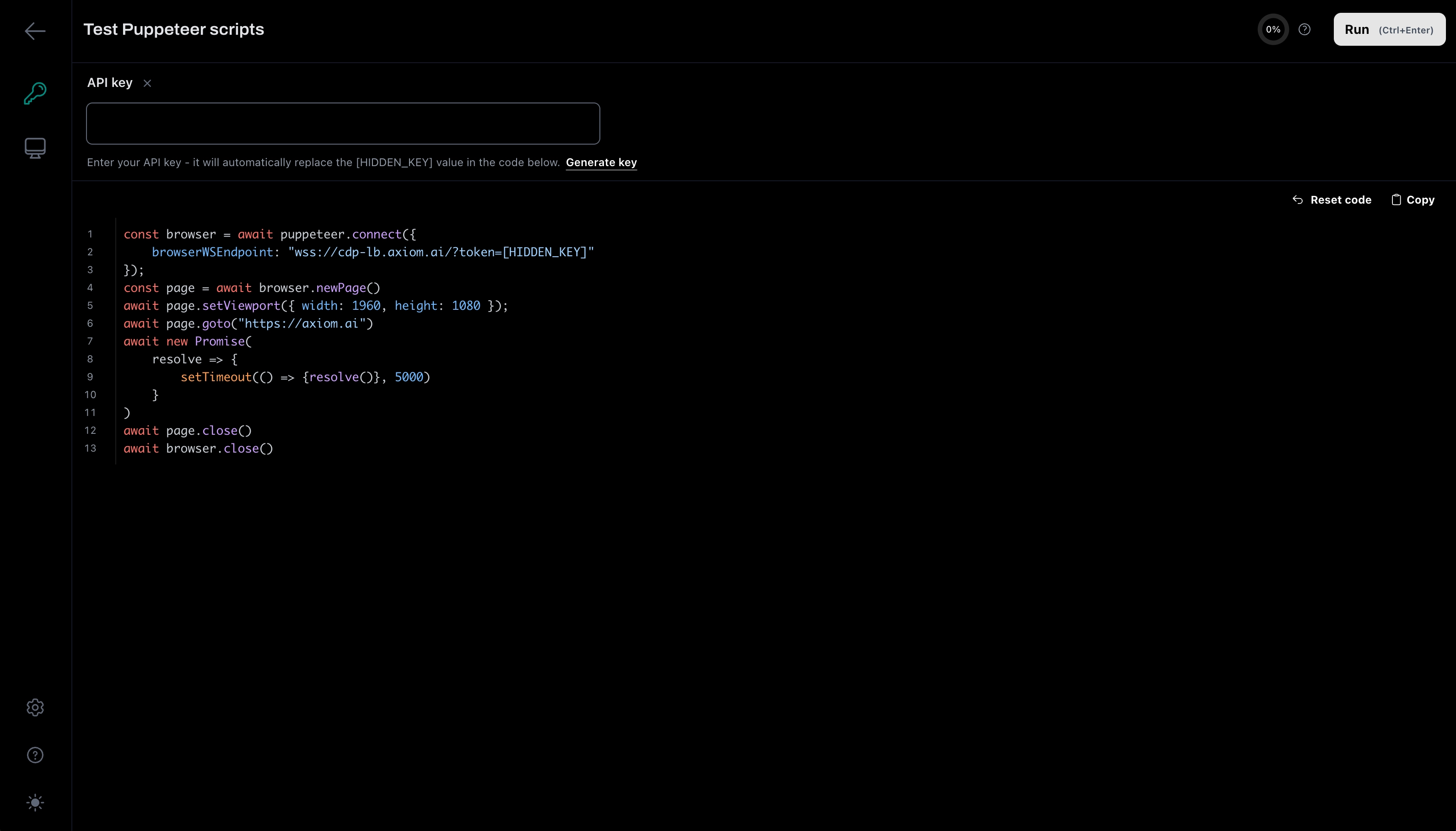
You can run your scripts from your IDE with just one line of code. You’ll need an account and an API key, which you can generate in the app. Existing Axiom users can try the tool too.
const browser = await puppeteer.connect({
    browserWSEndpoint: "wss://cdp-lb.axiom.ai/?token=[HIDDEN_KEY]"
});
I’ve been experimenting with the tool myself, running simple bots to scrape data and fill in forms.
What’s next: API, MCP, or AI?
Over the coming weeks, we'll iterate quickly and ship new features across both our no-code and code tools. The first major release will be an API update that exposes our steps in the API, allowing them to be triggered directly.
We're also exploring how AI can help, experimenting with AI recovery for selectors and AI assisted bot building. We're continuing to optimise infrastructure, including rolling out our MCP server. Debugging is another big focus for us. How can we better understand and resolve the errors you encounter?
And of course, your input matters. We'll keep iterating with your feedback as we build.
Wrapping up - Try the tool tell us what you think!
Try our new tool. All new users get 30 minutes of runtime. You can of course use our no-code tool with the same account. It’s raw but useable, and we’re actively developing it with your input, just as we did with our no-code tool.
We’re running an agile process that feeds your ideas directly into our idea board, where we scope and score them by effort and impact. Our approach is simple: build the simplest version first, then iterate. It’s a process that has served us well with our no-code users.