Backed by
Combinator
Managed Chromium in the cloud, a private container per run, or locally via the desktop runner. Trigger from the No-Code Tool, API, MCP, CLI, Code Dashboard, or CDP. With built-in concurrency and queuing.
Backed by
Combinator
Total bots run
Total runtime
Total users
How it works
Run your automation, no-code or code, in cloud-based browsers. From sign-up to scheduled runs in three steps, no machine of yours involved.
Get started for freeStep 1
One sign-up, two surfaces. Install the no-code Chrome extension to build visually, or open the code dashboard to grab your API key for the Chrome, Step, and Orchestrate APIs. Same account, same cloud runtime, your choice of tool.
Step 2
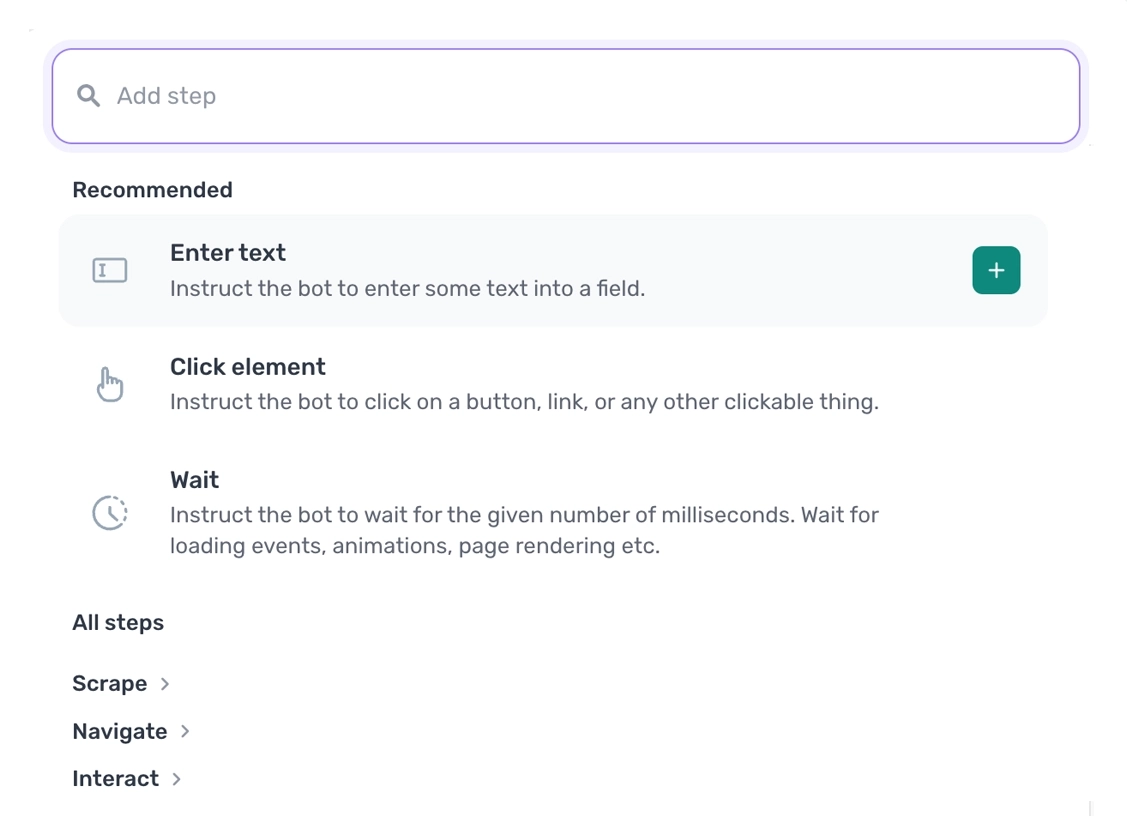
Pick the path that fits how you work. Build visually in the no-code Chrome extension, script it against our code SDK, or describe it to Claude and let the skill assemble the steps for you. Same cloud underneath each path, so a bot built one way runs alongside bots built the others.
Step 3
Hit run from the builder, set a schedule, or trigger from your stack. The Orchestrate API, webhooks, MCP server, and CLI all kick off cloud runs, with concurrency, queuing, and notifications built in. Watch every run in the dashboard or pipe the results into Slack, email, or another app.
See API docs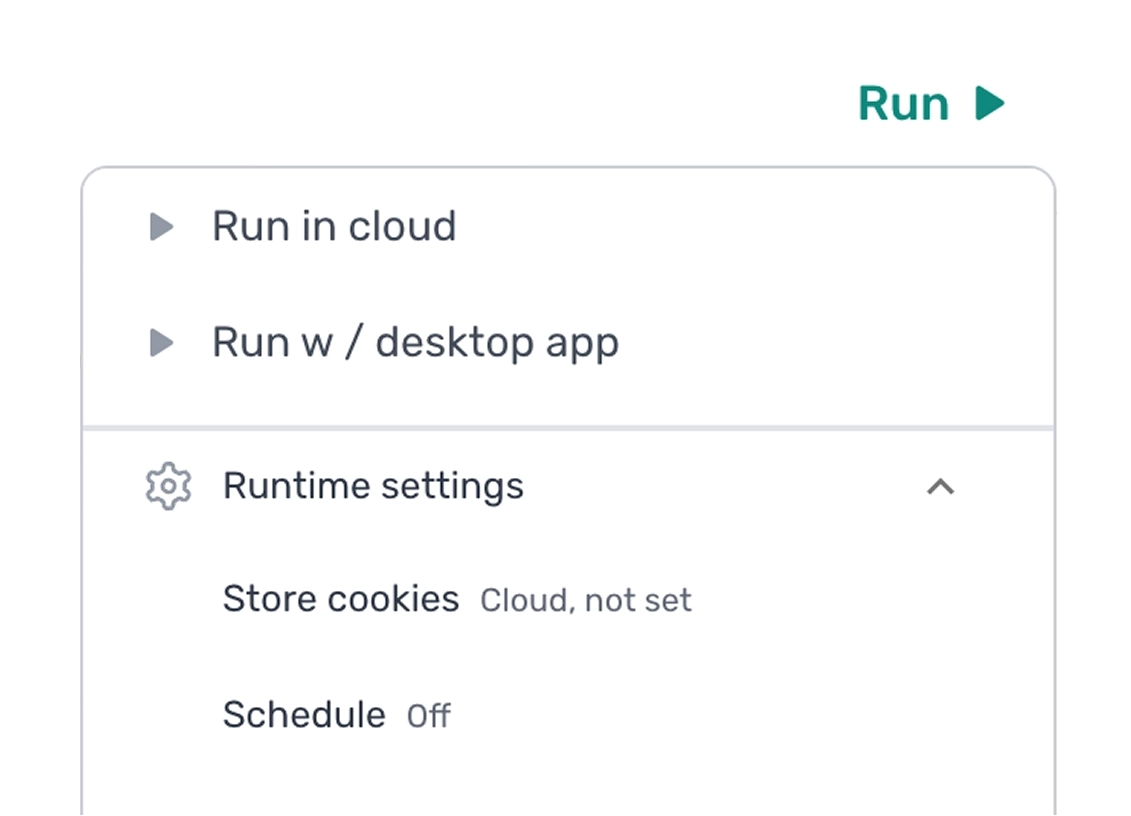
Privacy
A Docker container isolates your data in the cloud in its own sandbox. Data is processed during the run, never stored. When the run is complete the container is destroyed.
Encrypted between you and the cloud, and between the cloud and the sites it visits. No plaintext, ever.
Your runs, inputs, outputs, page contents, and credentials are never used to train any model, sold, shared with partners, or surfaced in any product feature. It's yours. It stays yours.
APIs
Pick the layer you want to work at. Raw browser, ready-made steps, or full automations. Same infrastructure underneath.
See API docsOpen a WebSocket to a cloud browser and drive it from Puppeteer, Playwright, or any CDP client.
See Chrome API
Our library of step functions removes the CDP boilerplate. High-level browser actions in Node via the axiom-api package.
See Step API
Trigger any pre-built automation, code or no-code, and manage its runs over REST. For Zapier, Make, or a backend service.
See Orchestrate API
Scales with you
Run up to 20 bots at once on the standard tier, with higher concurrency available on request. Limits vary by subscription.
Runs triggered by API are automatically queued if you exceed your concurrency limits, then dispatched as capacity frees up.
When our servers get busy we autoscale to meet demand. No queueing on our end, no failed runs from saturated capacity.
Holds up
Record on error. When turned on, runs are recorded in the moments before an error is thrown, so you can replay the run and the error to fix it. You also get a detailed run report generated line by line of the code executed, making hard-to-find issues much easier to solve.
No-code only. Get detailed error reporting on each step, with instructions on how to resolve the most common failure modes.
Set up notifications by email or webhook on success, fail, or error. Enrich the error message with custom data from the run for richer reporting downstream. Another no-code feature.
Which one?
There's no wrong answer. You can of course use both.
Read more about desktop
Pricing
Runtime is based on a monthly subscription. Each month the count resets, runtime is not carried over. All new users get a one-off 90 minutes of free runtime to try the tool out.
FAQ
Common questions about privacy, encryption, runtime limits, sessions, and recordings in the cloud.
See FAQYes. Standard plans run up to 20 concurrent bots, and we can go higher. Get in touch with customer support for a custom package tailored to your needs.
Yes. Your bots run in their own isolated Docker container, and once a run ends the container and everything in it is destroyed.
No. Data only exists for as long as it is being processed in the cloud container. No data from a run is duplicated, stored, or retained by us.
Yes. Data in transit, into and out of the container, is encrypted.
Yes. They vary from subscription to subscription. On the Ultimate tier a single run can last up to 12 hours.
Yes. If you enable cloud cookies, they are duplicated and stored for cloud runs. All cookies are encrypted for security.
Yes. On the Ultimate tier, a rolling recording of the last two minutes of a run is stored. It is optional and not on by default. You can replay the run to watch it and spot errors, and the recording comes with an under-the-hood commentary of the run, which is very helpful for debugging.
Yes. You can find out more here.
Browser infrastructure, ready when you are.
Free to install. Free to try a cloud run. No card to start. Move to a paid tier when your workload does.