How to automate actions on a website with a bot
If you want to automate tasks performed in the browser, you should consider building a bot. You will be surprised how useful this can be - who wouldn't want an army of digital assistants to help handle their workload?

In this guide, we will teach you the basics of automating browser actions in just minutes, using axiom.ai’s no-code bot building tool.
Why make a bot?
Well, bots can take some of those repetitive, manual browser tasks off your hands, freeing up valuable time for other, more enjoyable things. Besides, watching the bots do your work is pretty amazing! What’s more, you’ll acquire useful automation skills.
What can bots automate?
We’re teaching you how to make bots that can be used in the Chrome browser. These bots can automate a wide range of browser actions, from data entry to data scraping. We have users automating a multitude of different tasks, helping them to more efficiently manage their social media accounts, e-commerce stores, data migration, and more.
How do bots automate in the browser?
Simply put, bots mimic human behavior in Chrome. They click buttons and enter data into forms, replicating your web browser actions without getting bored, fed up, or frustrated.
Can anyone make a bot?
Our no-code, point-and-click bot builder has been created to be user-friendly from the ground up. You don't need any programming skills to make bots with axiom.ai, but having a clear idea of what you want to automate will be helpful.
What skills will I learn?
Learning how to automate your browser is becoming an increasingly valuable skill. As more and more work moves to the browser, being able to automate it will be an invaluable addition to anyone's CV. Learning to automate, instead of being automated, will empower you for the future. Of course it involves a learning curve: you'll have to get to grips with some of the key concepts of automation, from structuring it, to setting up loops and thinking like a programmer.
Once you master it, you won’t look back.
Start by breaking your bot down into steps
It's always useful to plan before you get started. A plan helps reduce frustration and speeds up the process.
Start by breaking down the task into steps and then review it, simplifying the process as much as possible for your first bot.
For complex tasks, you may want to consider breaking them down into several steps, to be taken on by more than one bot.
Once you have a plan in place, you're ready to start building.
Start from blank or pick a template
We offer a variety of templates to assist you with scraping, data entry, and social media management on platforms like Instagram. You can find all of our templates on our website. However, we believe it's important to teach you how to start from blank.
We will assume that you have already created an account and installed axiom.ai.
Open the chrome extension and double click ‘Create New Automation’.
You are now in our Axiom builder. Let’s take you through the basics.
Choose a starting point
Select your first step to add. We suggest one of the following steps:
- If you have data in a Google Sheet, start with the ‘Read data from a Google Sheet’ step
- If want to make a web scraper bot, start with the ‘Get data from URL’ step
- If you want to enter data into a form, start with the ‘Go to’ page step

Combine steps
To make your bot perform tasks, you can combine different steps. For instance, if you need to read or write data, you may consider using ‘Google Sheet’ steps. Or, if you need to interact with a web page, or fill out forms, you can use the ‘Enter Text’ steps and click on the elements you wish to enter data into.
By replicating each step of your task, you can create a sequence of web actions for your bot to execute.
Have a browse through the different steps in our step finder.
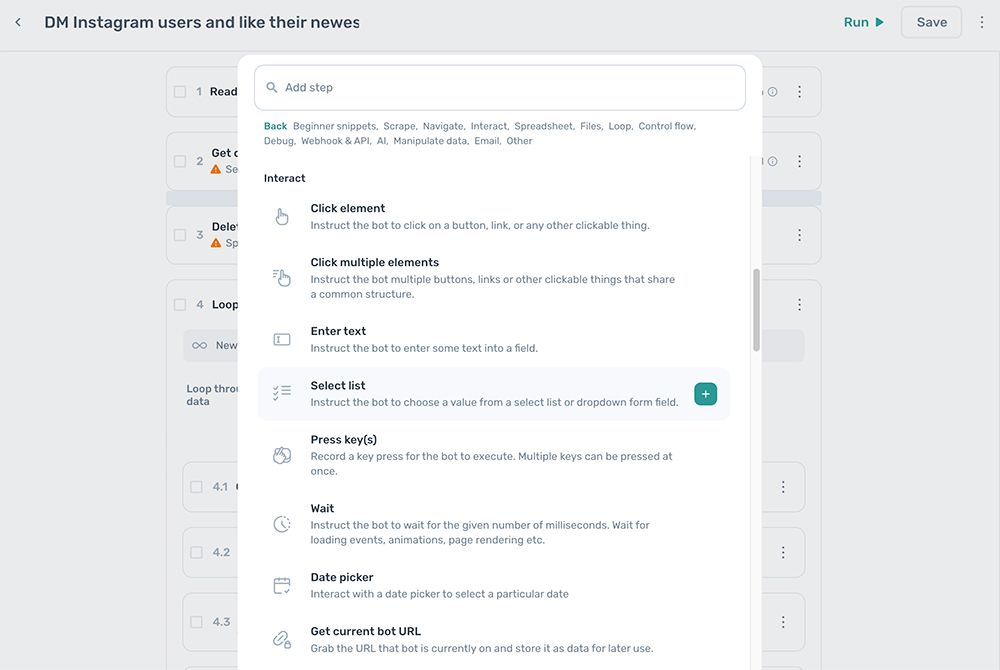
Some helpful patterns for your bot
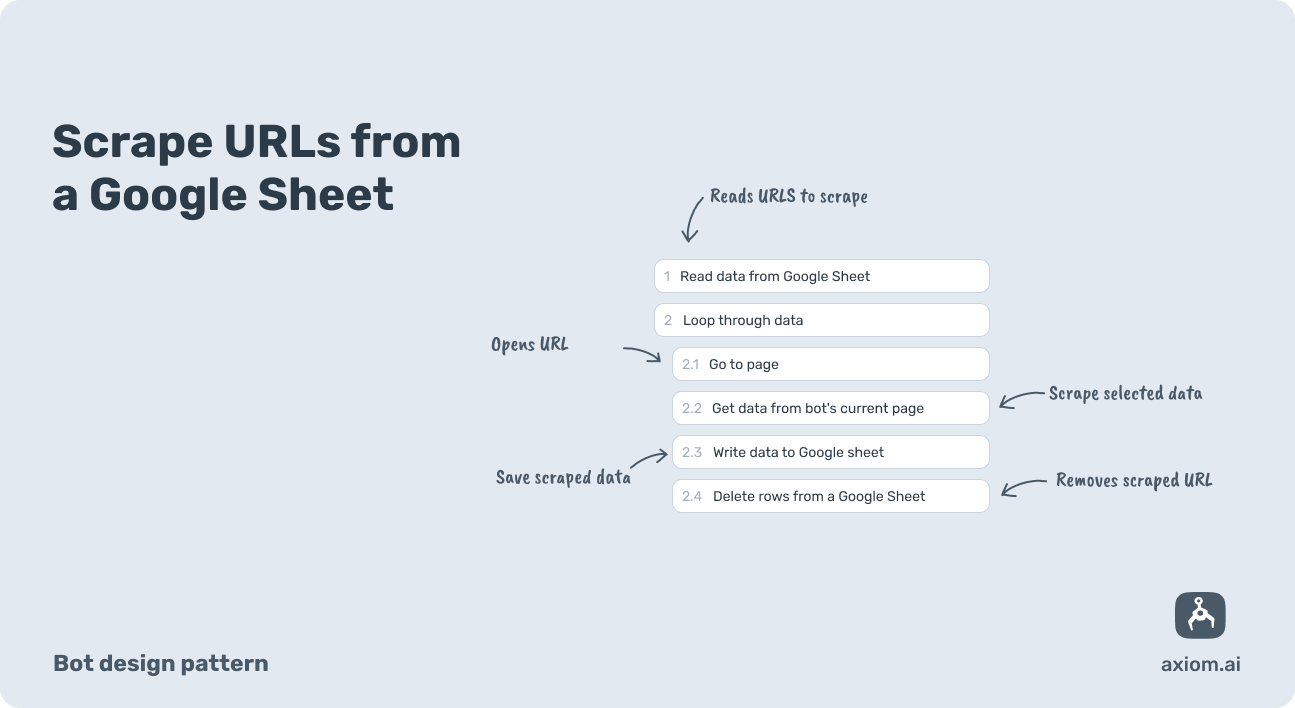
A simple web scraper bot
Here we read URLs from a Google Sheet, loop through them, and write data to a Google Sheet.
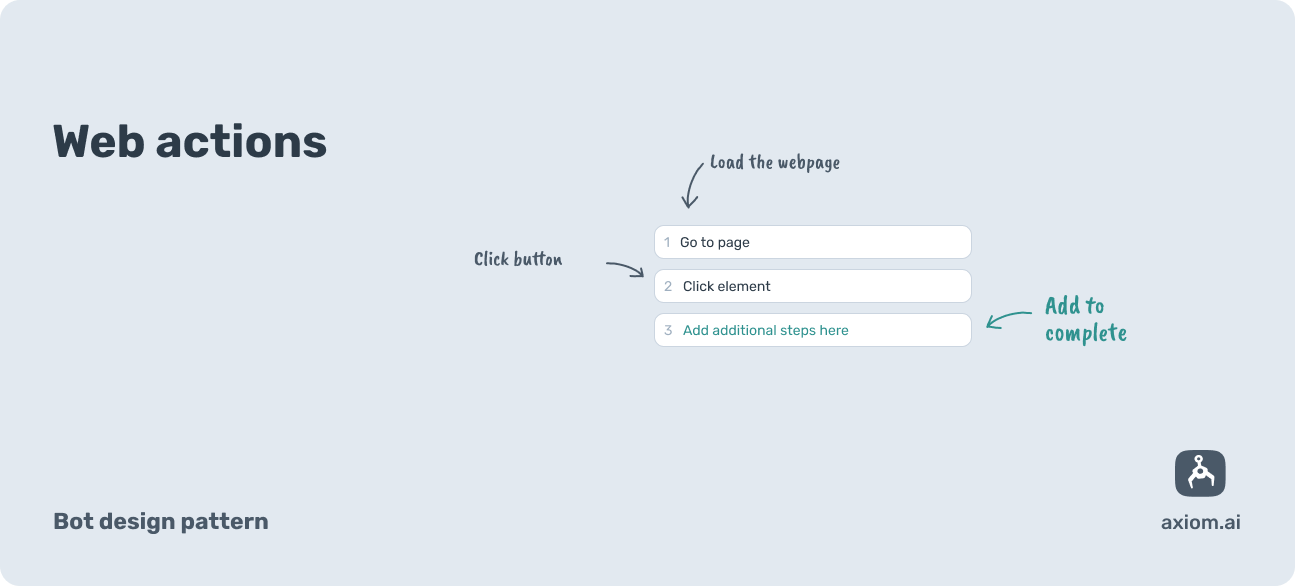
Web page interactions bot
Here we load a web page with a 'Go to page' step then click a button with a 'Click element' step.
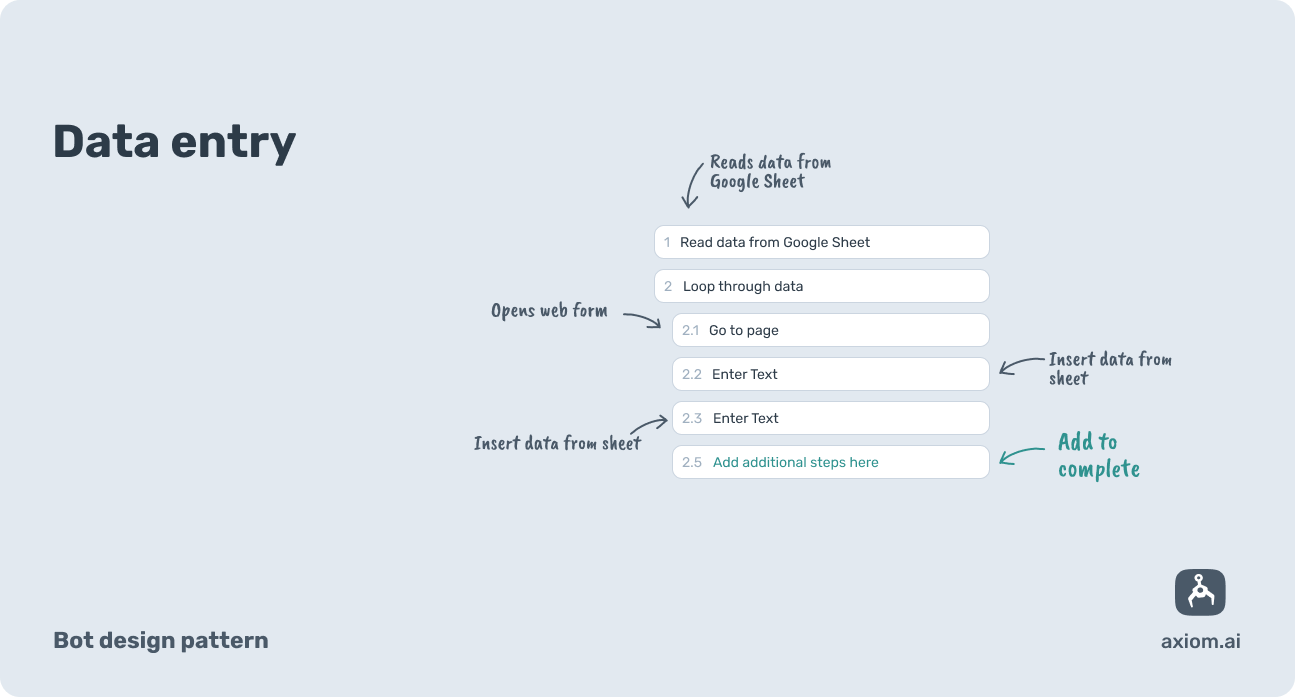
Data entry bot
Here we read data from a sheet one row at a time. Enter the data then loop to repeat the process.
How to loop your bots
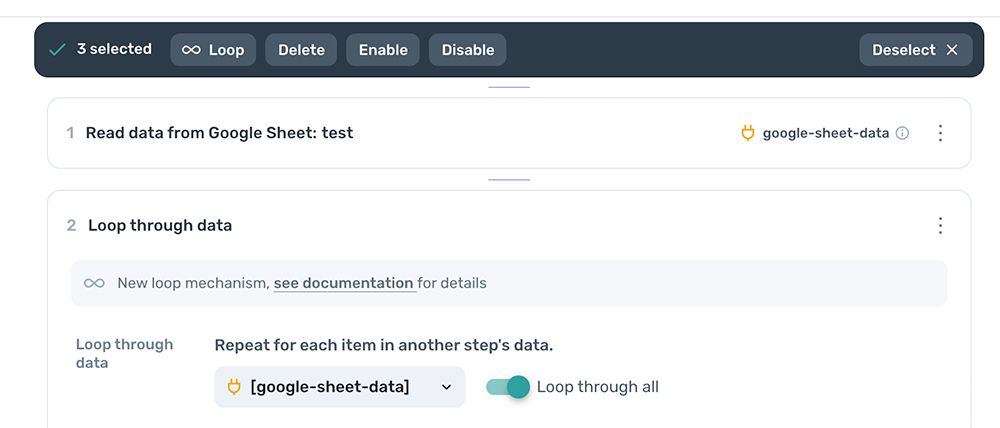
There are loop steps and jump steps. These can be added from the start, or later. The loop step will loop through data from a source like a Google Sheet; the jump step loops for the amount of time you set it to.
How to pass data between steps in a bot
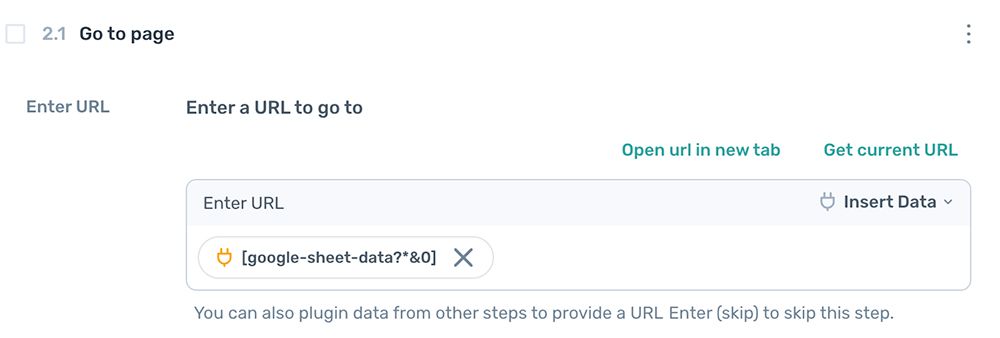
Steps that read or output some form of data like the ‘Get data’ step, can make their data available to other steps in the form of tokens. See this example of a Google Sheet passing a URL into a go to page step.
How to move steps in a bot
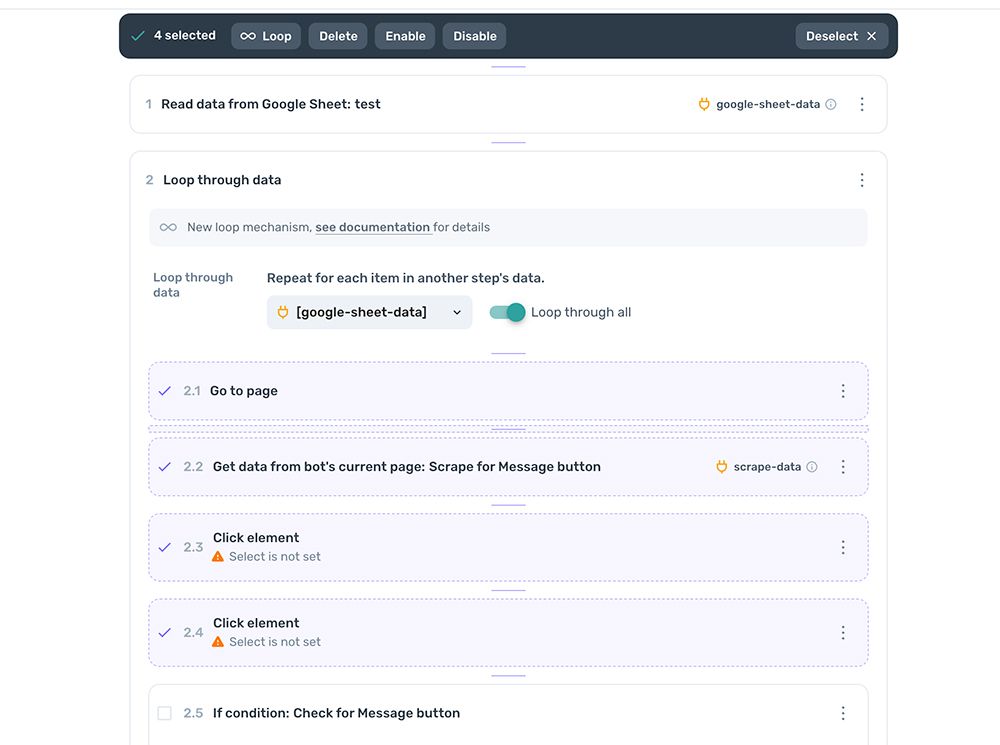
We have made it simple to move, edit and duplicate steps by simply clicking on a tick box inside the step. You’ll find the tick box to the left of the title.
Test as you go
We highly recommend testing your build by running your bot on the desktop app. Failed or stopped runs won't count towards the runtime limit, so you can test as much as you want.
While testing, it's important to observe the behavior of the bot and note at which point it breaks or doesn't behave as expected.
Ready to run!
Once you’re ready to run the bot, you can run it on your desktop, in the cloud. If you’re on a paid tier, you can also schedule your bots. So go ahead click run and watch your digital worker automate your repetitive browser actions.
Please note that if you build a bot on the desktop app when logged in, your session will be shared. However if you run the bot in the cloud, the session will not be shared.
Need help?
If you get stuck or need help with building more complex bots, please don't hesitate to contact us via this link. Be sure to share with us your Axiom bot and as much supporting information as possible describing the web actions use wish to automate.