Scrape data from Spotify
The Spotify web player shows the song data you might want in a sheet, the tracks in a playlist, an artist's releases, a search result. A bot can read it off the page for you, no copying by hand. There are three ways to start, with no code, with code, or with a Claude skill.
What I mean by scraping Spotify
Scraping Spotify means a bot reads the song information off the web player into a sheet. The tracks in a playlist with their artists and durations, the albums on an artist page, the results of a search. Point it at the page you want and it reads the visible rows, so a playlist or a catalogue becomes clean data you can sort and work with.
The API is genuinely good here
Be honest about the easy path first. Spotify has a proper Web API, well documented and free for metadata, and for clean track, artist, and playlist data it is the right tool. If you are pulling a lot of structured song info, learn the API.
The browser route is for the gaps. When you do not want to set up credentials for a one-off pull, when you need exactly what the web player shows, or when a quick scrape beats writing code against an endpoint. For pulling a whole discography in particular, there is a dedicated walkthrough at scrape Spotify discography. Same song info, a different door, useful when the API is more setup than the job is worth.
Who this is for
This is for anyone who wants song data without the developer setup. A music writer pulling a playlist into a spreadsheet, a researcher gathering release dates, someone cataloguing an artist's work. You can read code or not, it does not matter here. No-coders and coders both, since you can build it without code and drop into code when you want.
How I'd approach it
Check the API first, since for plain metadata it is usually cleaner. If it does not fit, open the web player to the page you want, the playlist, the artist, the search, and have the bot read the visible rows into a sheet. Scroll slowly so everything loads, and take only what you need.
API if it fits, the page if it does not, read what is visible. I would lay out the first draft with Build with description.
Scrape Spotify from a description
Describe the page in plain words in the Chrome extension and it builds the steps for you. Give it a few short lines, check what it made, and run it. Explore no-code.
To the right is an example. Describe the page and the fields you want, and the AI lays out the steps.
Chrome extensionInstructions
- Open the playlist on the web player35 / 500
- Scroll down to load every track31 / 500
- Scrape the track, artist, and album of each row47 / 500
- Write the rows to a Google Sheet32 / 500
- Move to the next playlist25 / 500
Scrape Spotify in code
Build with code. You do not have to write the script by hand. Describe the scrape to our Claude skill and it generates a ready-to-run Node script you own, then debugs it with you, fixing a selector that stopped matching or a step that stalls, until the run is clean. Prefer to write it yourself? Explore the code tool. Either way, the script looks like this.
These are axiom's step functions, the same step library that powers the no-code builder, available as code. Describe the scrape to the Claude skill and it generates and debugs this script for you. It runs on our cloud Chromium, with nothing to manage.
Generate it with the Claude skill1import { AxiomApi } from "axiom-api";2 3const axiom = new AxiomApi(process.env.AXIOM_API_KEY);4 5await axiom.browserOpen();6try {7 await axiom.goto("https://open.spotify.com/playlist/your-playlist");8 const tracks = await axiom.scrape("[data-testid='tracklist-row'] a[href*='/track/']");9 console.log(tracks); // write these to your sheet10} finally {11 await axiom.browserClose();12}13 Build with a Claude skill
Build no-code or code bots with a skill.
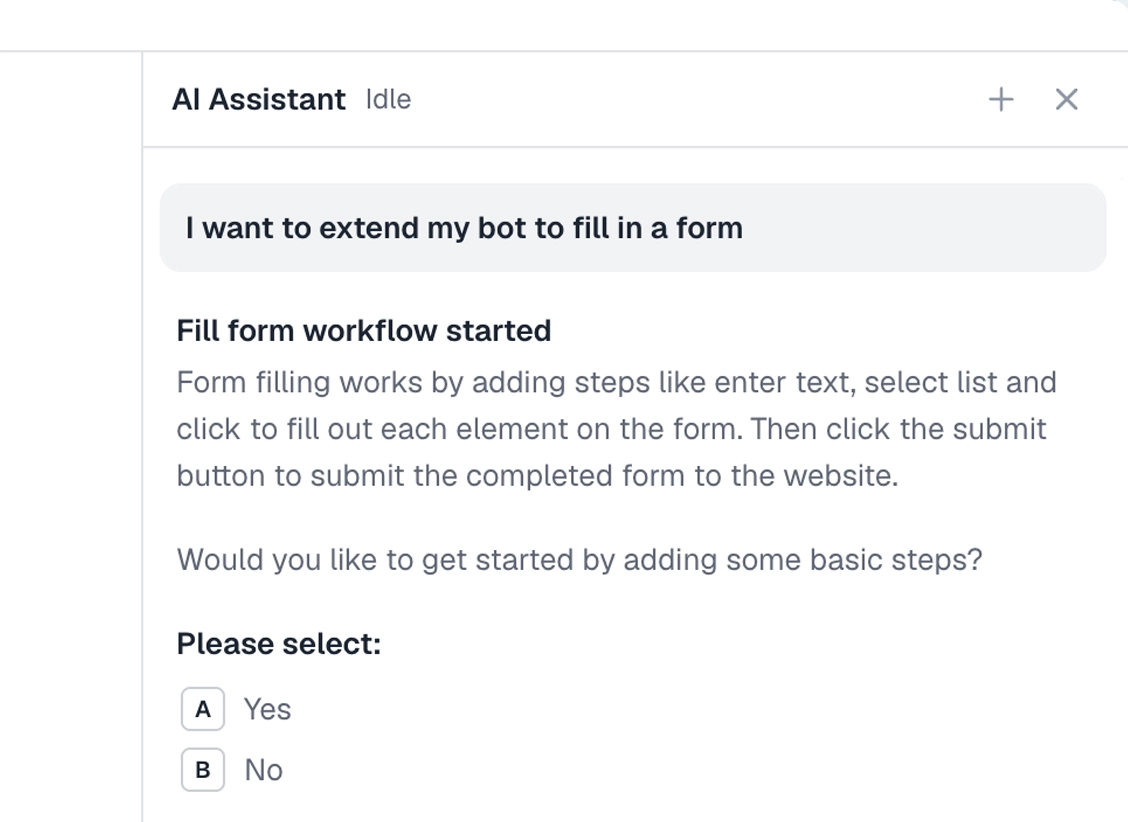
Add the Claude skill and describe the song data you want. It builds the scraper for you, no-code or code, reading the web player into a sheet.
What can you scrape?
Most of what the web player shows. A couple of cases worth knowing first.
Works well
- Track, artist, and album names
- Playlists and search results
- An artist's releases
- Release dates and durations
- A list of pages from a sheet
Harder
- Audio features the API exposes but the page does not
- Very large catalogues in one run
- Content behind your login
Don't try
- Downloading audio or ripping tracks
- High-volume scraping against the terms
- Reselling Spotify's data
What I'd watch out for
The web player is a polished, lazy-loading app, so a few things trip up a scraper. Here is what I would watch for.
Try the API first
Spotify's Web API gives clean metadata without scraping, and for structured data it is usually less work. Reach for the browser when the API does not fit or the setup is not worth it.
Let the page load
The player fills in as you scroll. Wait for the rows to appear, and scroll if you need more, before reading, or you will catch a half-loaded page.
Stay on metadata
Read the song information, never the audio. Downloading or ripping tracks is off the table.
Pick fields reliably
Spotify changes its markup, so pick what you read with the selector tool and recheck after an update.