Automate Webull reporting
A bot can pull your own Webull data into a sheet, your positions, watchlist prices, statements, and tax documents, so tracking your account does not mean logging in to check. It does not place trades. This is for reporting on your own account, not automated trading. There are three ways to start, with no code, with code, or with a Claude skill.
What I mean by automating Webull
Automating Webull, the sensible way, means a bot pulls your own account data into a sheet. Your positions and their values, the prices on your watchlist, your statements, your tax documents. It reads what you can already see when you log in, and gathers it where you can work with it. It is reporting and tracking, not trading.
Automate the tracking, not the trades
There is a version of this you should not build. Pointing a bot at a brokerage to place trades on its own is a real way to lose real money, fast, and it is not something I would help you set up. Automated trade execution carries risk that a landing page cannot wave away, and it is not what this is for.
What is safe and useful is the reporting. Your positions, your watchlist, your statements, all sitting behind a login you have to open and read by hand. A bot can pull that into a sheet on a schedule, so you track your account without the clicking, and never place an order. Read and report, never trade. None of this is financial advice, it is just getting your own numbers out.
Who this is for
This is for the investor who wants their own account data in one place, not a trading bot. Tracking positions across accounts, watching prices, pulling statements at tax time. You want the numbers gathered, you do not want a script trading for you. No-coders and coders both, since you can build it without code and drop into code when you want.
How I'd approach it
Decide what you want to track, positions, watchlist, or statements, and have the bot read those screens and write them to a sheet on a schedule. Use your own logged-in session, and never enter your credentials into the bot itself. Keep it read-only, nothing that places or cancels an order.
Read your own data, write it to a sheet, leave the trading to you. I would lay out the first draft with Build with description.
Automate Webull reporting from a description
Describe the task in plain words in the Chrome extension and it builds the steps for you. Give it a few short lines, check what it made, and run it. Explore no-code.
To the right is an example. Describe what you want to track, and the AI lays out the steps. Read-only, nothing that trades.
Chrome extensionInstructions
- Open Webull on the web and sign in34 / 500
- Go to my positions18 / 500
- Read each holding and its value31 / 500
- Write them to a Google Sheet28 / 500
- Run it every evening20 / 500
Automate Webull reporting in code
Build with code. You do not have to write the script by hand. Describe the scrape to our Claude skill and it generates a ready-to-run Node script you own, then debugs it with you, fixing a selector that stopped matching or a step that stalls, until the run is clean. Prefer to write it yourself? Explore the code tool. Either way, the script looks like this.
These are axiom's step functions, the same step library that powers the no-code builder, available as code. Describe the scrape to the Claude skill and it generates and debugs this script for you. It runs on our cloud Chromium, with nothing to manage.
Generate it with the Claude skill1import { AxiomApi } from "axiom-api";2 3const axiom = new AxiomApi(process.env.AXIOM_API_KEY);4 5await axiom.browserOpen();6try {7 await axiom.goto("https://app.webull.com/positions");8 const holdings = await axiom.scrape(".position-row");9 console.log(holdings); // write these to your sheet10} finally {11 await axiom.browserClose();12}13 Build with a Claude skill
Build no-code or code bots with a skill.
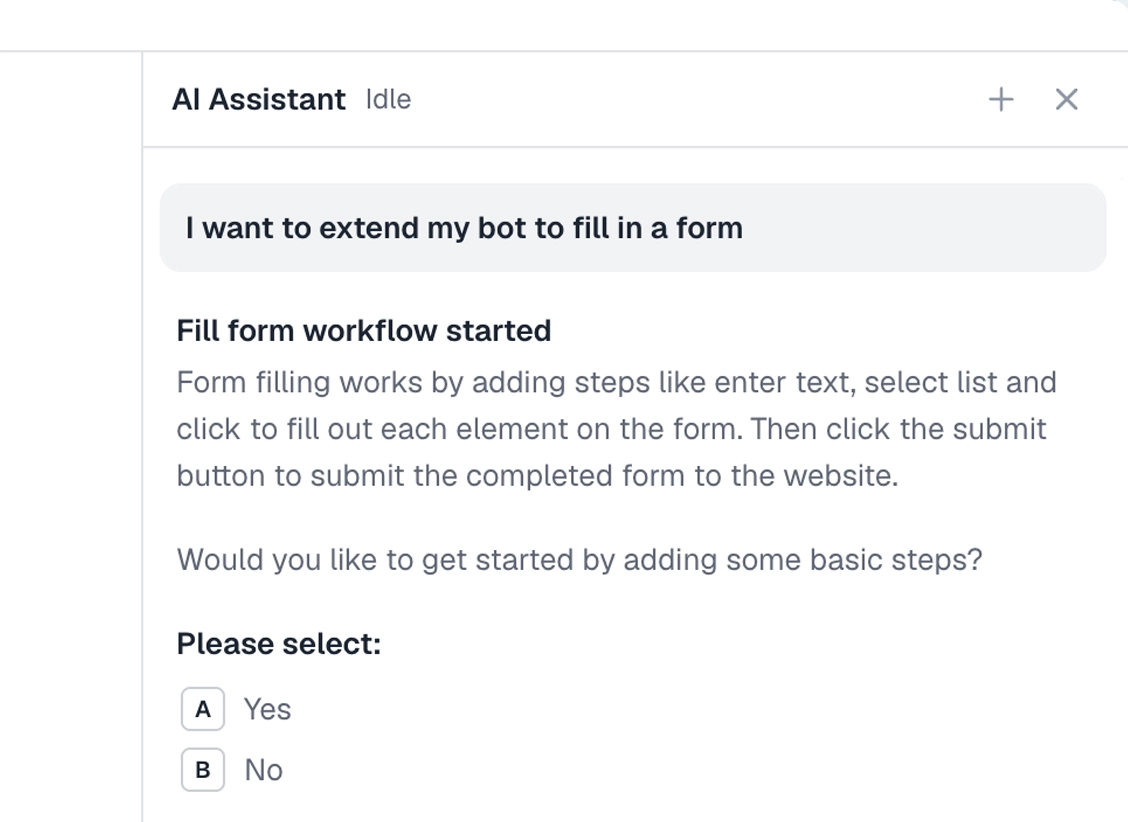
Add the Claude skill and describe what you want to track. It builds the bot for you, no-code or code, reading your own account data into a sheet. Read-only, never trading.
What can you automate?
The tracking, never the trading. A couple of cases worth knowing first.
Works well
- Pulling positions into a sheet
- Tracking watchlist prices
- Downloading statements
- Gathering tax documents
- Running it on a schedule
Harder
- 2FA on the brokerage account
- Frequent layout changes
- Charts rendered as images
Don't try
- Placing or cancelling trades
- Entering your credentials into the bot
- Anything against Webull's terms
What I'd watch out for
This one is a brokerage behind a login, so the cautions matter more than usual. Here is what I would watch for.
Read-only, never trading
The bot reports, it does not place orders. Do not build trade execution. An automated trade gone wrong is real money lost, and it is not a thing to hand to a script.
Never put credentials in the bot
Carry your own logged-in session rather than storing a brokerage password in the automation. Your login is the last thing you want sitting in a bot's settings.
This is not financial advice
Gathering your own numbers is not advice, and neither is anything here. What you do with the data is your call, and worth talking through with someone qualified.
Use your own session
Sign in as yourself, store the cookies so the bot keeps the session, and repick anything that moves with the selector tool after an update.