Automate your Depop shop
On Depop, staying visible is a part-time job. Refreshing items so they climb back up, relisting, updating prices, keeping stock straight. A bot can take that grind off your hands for the shop you actually run. This is for your own shop, not for follow-spam. There are three ways to start, with no code, with code, or with a Claude skill.
What I mean by automating your Depop shop
Automating your Depop shop means a bot handles the repetitive selling work. Refreshing items so they show up higher, relisting things that went stale, updating prices from a sheet, and pulling your sales into a spreadsheet. It is the upkeep of a shop you run, done for you, so you can spend your time sourcing and shipping rather than tapping the same buttons all day.
Staying visible is a part-time job
Depop rewards activity. Items that get refreshed climb back to the top of search, fresh listings get seen, and a shop that goes quiet sinks. So sellers end up refreshing and relisting constantly, by hand, just to stay where buyers can find them. That upkeep is real work, and it is exactly the kind a bot is good at.
There are two honest limits to know. Depop is mobile-first, so a browser bot reaches what the web shop exposes, which is less than the app. And the activity that helps is your own shop's upkeep, not mass following and liking to chase attention, which reads as spam and gets accounts limited. Keep it to your own listings, at a human pace, and the bot earns its keep.
Who this is for
This is for the Depop seller running a shop without a team. You source, you list, you ship, and the refreshing and price tweaks eat the time in between. One shop, your stock. If you are looking to mass-follow or spam for reach, this is not the tool. No-coders and coders both, since you can build it without code and drop into code when you want.
How I'd approach it
Start with the chore you repeat most, usually refreshing or relisting. Let the bot work through your listings at a steady, human pace, refreshing the ones that have gone stale. For price changes, put the new prices in a sheet and let the bot apply them item by item. Check the web shop can do the task first, since some of Depop lives only in the app. Run it on your own shop with your own logged-in session.
Your own listings, human pace, web only. I would lay out the first draft with Build with description.
Automate your Depop shop from a description
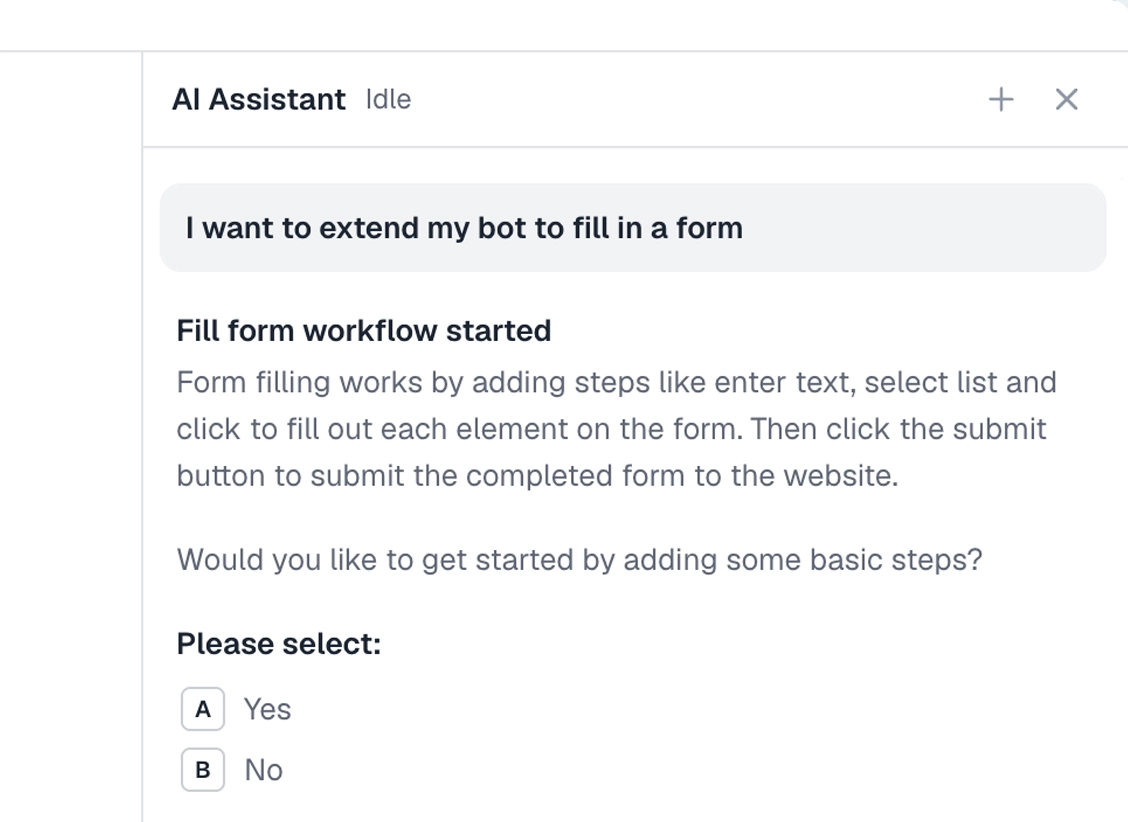
Describe the task in plain words in the Chrome extension and it builds the steps for you. Give it a few short lines, check what it made, and run it. Explore no-code.
To the right is an example. Describe the task for your shop, and the AI lays out the steps.
Chrome extensionInstructions
- Open my Depop shop on the web and sign in41 / 500
- Go through each listing in turn31 / 500
- Refresh the listing19 / 500
- Wait a moment before the next one33 / 500
- Stop after the last item24 / 500
Automate your Depop shop in code
Build with code. You do not have to write the script by hand. Describe the refresh to our Claude skill and it generates a ready-to-run Node script you own, then debugs it with you, fixing a selector that stopped matching or a step that stalls, until the run is clean. Prefer to write it yourself? Explore the code tool. Either way, the script looks like this.
These are axiom's step functions, the same step library that powers the no-code builder, available as code. Describe the refresh to the Claude skill and it generates and debugs this script for you. It runs on our cloud Chromium, with nothing to manage.
Generate it with the Claude skill1import { AxiomApi } from "axiom-api";2 3const axiom = new AxiomApi(process.env.AXIOM_API_KEY);4 5await axiom.browserOpen();6try {7 // Your own listings, using your logged-in session8 const items = [9 "https://www.depop.com/products/yourshop-item-one/",10 "https://www.depop.com/products/yourshop-item-two/",11 ];12 13 // Refresh each one at a steady, human pace14 for (const url of items) {15 await axiom.goto(`${url}edit`);16 await axiom.click('button[aria-label="Refresh"]');17 await axiom.wait(4000);18 }19} finally {20 await axiom.browserClose();21}22 Build with a Claude skill
Build no-code or code bots with a skill.
Add the Claude skill and describe the Depop task for your shop. It builds the bot for you, no-code or code, refreshing listings or updating prices from a sheet.
What can you automate?
The shop upkeep, for the shop you run. A couple of lines to stay on the right side of.
Works well
- Refreshing listings to stay visible
- Relisting stale items
- Updating prices from a sheet
- Pulling your sales into a sheet
- Running it at a steady pace
Harder
- Anything the app does but the web does not
- Uploading photos for new listings
- Depop's checks on automated activity
Don't try
- Mass following or liking for reach
- Spamming buyers with messages
- Anything against Depop's terms
What I'd watch out for
Depop is mobile-first and watches for spammy activity, so a few things matter here. Here is what I would watch for.
The web does less than the app
Depop is built for the phone, so a browser bot reaches what the web shop exposes, which is not everything. Check the web can do the task before you build it.
Refresh at a human pace
Refreshing every listing in a burst looks like a bot. Space it out with waits and a steady rhythm, so the activity reads like a seller keeping their shop tidy.
Use your own session
Sign in as yourself on the shop you own, and store the cookies so the bot keeps the session rather than logging in fresh each run.
Keep it to your own shop
The upkeep that helps is on your own listings. Mass following and liking to chase reach is the spammy side, and it gets accounts limited. Pick what you act on with the selector tool, and keep it to your shop.