AI Data Entry
Describe the job and axiom's AI builds a bot that types each row from your spreadsheet into any web app, then helps you run and fix it. Start no-code, in code, or with a Claude skill.
What AI data entry means
AI data entry means a bot does the keying and the AI does the building.
Point it at your web app, describe where each value goes, and it works through your data one row at a time, text fields, dropdowns, dates, toggles, saving each record and starting the next.
It never gets bored or loses its place on row forty.
Where the AI actually helps
Three places. First, building: you describe the entry in plain words and the AI lays out the steps to review before anything runs.
Second, the source data: real spreadsheets are messy, a date in the wrong format, a name in caps, an address on two lines, and an AI step can normalise a value before it goes in so a bad row does not stall the run.
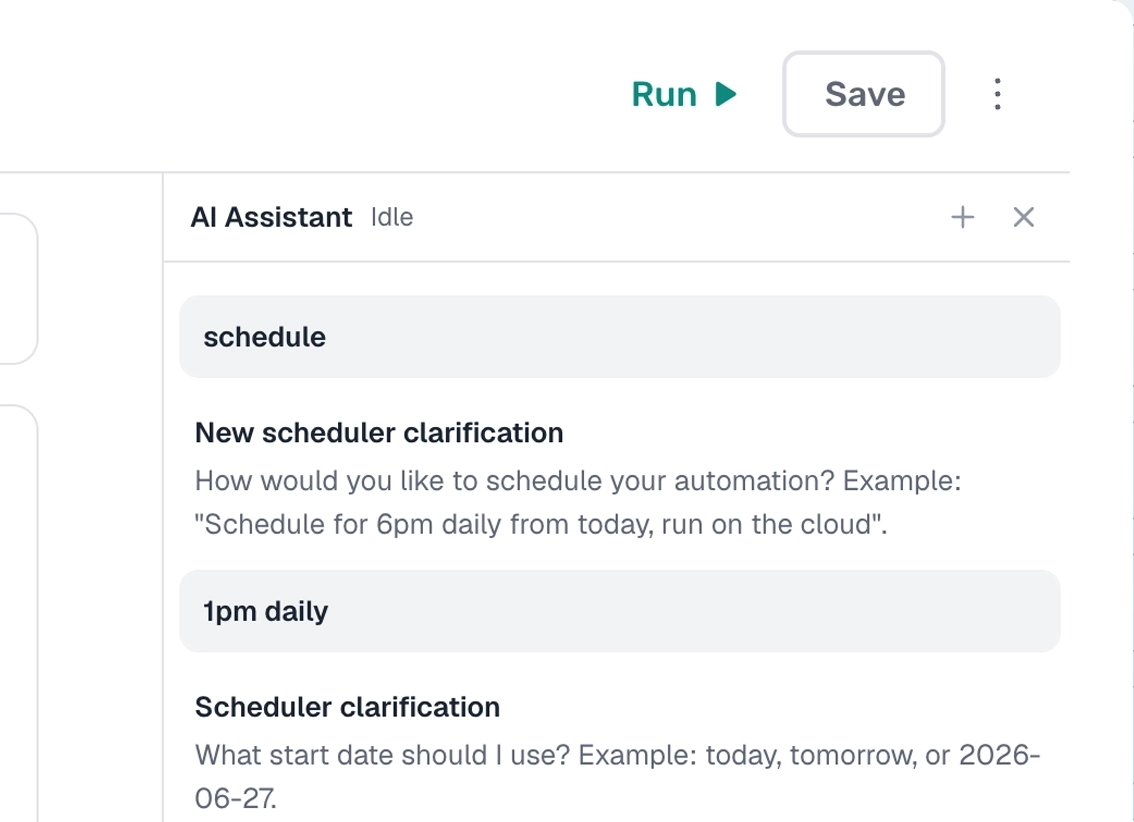
Third, help while you build: a no-code AI assistant in the extension, powered by Claude, adds steps, loops a range, or fixes a broken selector on request.
The keying itself is plain automation; the AI builds it and cleans the input, it does not invent values.
Who this is for
Anyone who re-keys data into a web app with no import button: CRMs, dashboards, billing portals, legacy internal tools.
If your data already lives in a sheet or CSV and you're copying it across by hand, hand it off.
How I'd approach it
Describe the entry, listing the fields and where each value comes from, and let Build with description lay out the first draft.
Run one row to check it before you loop the rest, and delete or mark each row as it goes in so a re-run never enters the same record twice.
Build the data entry bot from a description
Describe the entry in the Chrome extension and the AI builds the steps for you. Explore no-code.
An example is on the right. Describe the entry and the AI lays out the steps.
Chrome extensionInstructions
- Read the rows from my Google Sheet34 / 500
- Go to the web app17 / 500
- Enter the customer name23 / 500
- Enter the email and phone25 / 500
- Select the account type23 / 500
- Click save10 / 500
- Delete the row I just entered29 / 500
Build the data entry bot in code
Build with code. Describe the entry to our Claude skill and it generates and debugs a ready-to-run script you own. Prefer to write it yourself? Explore the code tool.
axiom's step functions, the same library the no-code builder uses. The Claude skill generates and debugs the script for you, and it runs on our cloud Chromium.
Generate it with the Claude skill1import { AxiomApi } from "axiom-api";2 3const axiom = new AxiomApi(process.env.AXIOM_API_KEY);4 5// One row from your Google Sheet6const row = { name: "Ada Lovelace", email: "ada@example.com", phone: "020 7946 0000" };7 8await axiom.browserOpen();9try {10 await axiom.goto("https://app.example.com/customers/new");11 await axiom.enterText('input[aria-label="Customer name"]', row.name);12 await axiom.enterText('input[aria-label="Email"]', row.email);13 await axiom.enterText('input[aria-label="Phone"]', row.phone);14 await axiom.click('button[type=submit]');15} finally {16 await axiom.browserClose();17}18 AI assistant, built in
An AI assistant helps you build the data entry bot.
axiom's no-code AI assistant is built into the Chrome extension, powered by Claude. Describe the entry and it adds, loops, and edits the steps, configures the run, and debugs anything that breaks. Prefer to drive from Claude itself? The Claude skill builds it too.
What can the data entry bot handle?
Most web apps. A couple of cases worth knowing first.
Works well
- Typing rows from a sheet into a web app
- CRMs, dashboards, and legacy internal tools
- Dropdowns, dates, toggles, and checkboxes
- Tidying messy source data with an AI step
- Scheduled, unattended runs
Harder
- Apps behind SSO or two-factor login
- File attachments on a record
- Strict server-side validation
- Tables that load on infinite scroll
Don't try
- Entering data you are not allowed to handle
- Bypassing a paywall or a rate limit
- Anything against a site's terms
What I'd watch out for
Data entry looks simple, but a few things trip up a bot.
Target each field with a custom CSS selector
Many web apps render inputs without a stable id, so a position-based selector breaks when the layout shifts. In the selector tool, use a custom CSS selector on an attribute that does not move, like the field's aria-label. For example:
input[aria-label="Email"]
Delete or mark each row after it goes in
Have the bot delete or flag the row right after it saves, so a re-run picks up where it left off instead of entering the same data twice.
Clean the data before it loops
Strict validation stops a bad row, and one stuck row stalls the whole run. Use an AI step to normalise dates, names, and addresses up front, and check a sample first.
Test one record first
Run one row and check the app before you loop. Watch the first run on the desktop app to see exactly where each field lands.