Scrape OnlyFans
OnlyFans pages render dynamically and don't paginate the way most sites do. Copy-pasting profile data row by row turns research into hours of clicking. axiom drives OnlyFans in a real Chromium so you can scroll, capture, and write rows to a Google Sheet automatically. There are three ways to start, with no code, with code, or with a Claude skill.
What I mean by scraping OnlyFans
Scraping OnlyFans means a bot does the click-and-capture work you would otherwise do by hand. Opening a creator's profile, reading the subscription price and offers, capturing the public post text and timestamps, pulling links to public media, and writing each row into a Google Sheet or sending it to a webhook. The bot opens OnlyFans in Chrome, scrolls until everything's loaded, and writes back what's on screen.
This is for public data. Anything visible to a signed-out browser, or a signed-in browser session for accounts you legitimately have access to.
Reading isn't already solved
OnlyFans does not publish a developer API for reading profile, post, or pricing data. Public scrapers based on archived HTML go stale quickly because the site renders client-side. The browser is the only stable surface, and an infinite-scroll profile plus a JS-rendered DOM is exactly the shape a browser bot handles well.
Who this is for
This is for market researchers tracking subscription pricing across creators in a niche. Agencies building competitive intelligence sheets for talent they represent. Journalists and academic researchers analysing trends across publicly accessible profiles. And creators themselves, doing competitor research before launching a tier. If your workflow is "open a list of profiles, capture the same five fields from each, paste into a sheet," a bot is the shortest path.
How I'd approach it
Decide first which fields you actually need. The richest data is the post grid; the cheapest is the profile header (name, subscription price, post count). Build a step that opens a profile, waits for the page to settle, captures the header fields, then optionally scrolls and captures each post tile. Loop the profile URLs from a sheet.
For anything that requires a signed-in session. Captures of subscriber-only post counts, for example. Load saved cookies for an account you have legitimate access to. Pace requests so the bot looks like a person, not a crawler.
Scrape OnlyFans from a description
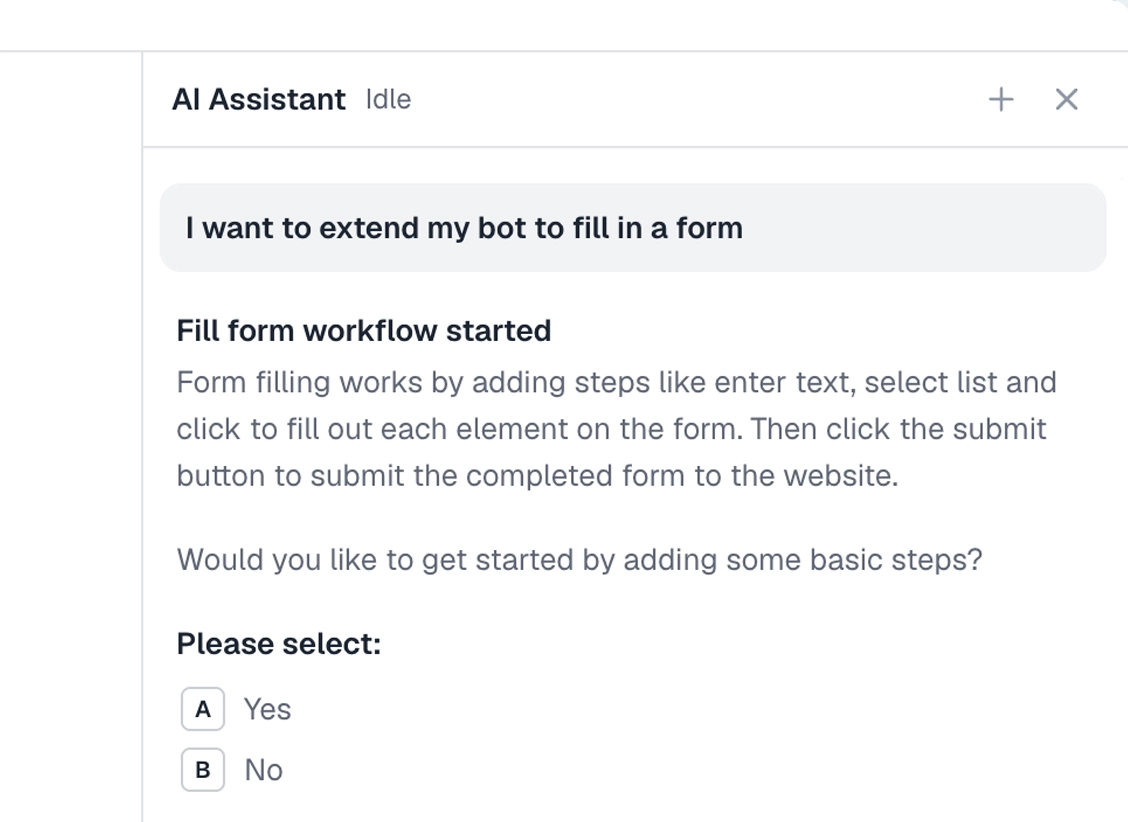
Describe the scrape in plain words in the Chrome extension and it builds the steps for you. Tell it the URL pattern and what to capture. Explore no-code.
To the right is an example. Describe the scrape and let the AI lay out the steps of your bot.
Chrome extensionInstructions
- For each OnlyFans profile URL in my Google Sheet, open it57 / 500
- Capture the display name, subscription price, and post count from the profile header84 / 500
- Scroll to the bottom until no new posts load44 / 500
- For each public post tile, capture the post text and date57 / 500
- Append the rows to a results tab in the sheet45 / 500
Scrape OnlyFans in code
Build with code. You do not have to write the script by hand. Describe the scrape to our Claude skill and it generates a ready-to-run Node script you own, then debugs it with you, fixing a selector that stopped matching or a step that stalls, until the run is clean. Prefer to write it yourself? Explore the code tool. Either way, the script looks like this.
These are axiom's step functions, the same step library that powers the no-code builder, available as code. Describe the scrape to the Claude skill and it generates and debugs this script for you. It runs on our cloud Chromium, with nothing to manage.
Generate it with the Claude skill1import { AxiomApi } from "axiom-api";2 3const axiom = new AxiomApi(process.env.AXIOM_API_KEY);4 5await axiom.browserOpen();6try {7 // Capture the public profile header for one creator8 await axiom.goto("https://onlyfans.com/example-creator");9 const header = await axiom.scrape('h1, [class*="user-name"]');10 console.log(header); // write this to your sheet11} finally {12 await axiom.browserClose();13}14 Build with a Claude skill
Build no-code or code bots with a skill.
Add the Claude skill and describe the scrape. It builds the bot for you, no-code or code, handling the scroll, the field capture, and the column mapping into your sheet.
What can you scrape from OnlyFans?
Most of what's visible to a signed-out browser, plus signed-in extras for accounts you have legitimate access to. A couple of cases worth knowing first.
Works well
- Capturing creator profile headers. Name, price, post count
- Pulling public post text and dates from a profile
- Monitoring subscription-price changes across a list of creators
- Capturing public media links
- Cross-checking the same list of profiles on a schedule
Harder
- Profiles behind an age-gate or geo-block (handle with stored cookies)
- Paginated tabs that only load on click. Extra waits needed
- Long profiles with hundreds of posts (scroll patience required)
Don't try
- Bypassing payment or subscriber-only content for accounts you don't have access to
- Mass-DMing creators or fans
- Anything against OnlyFans's terms of service
- Storing or republishing private content
What I'd watch out for
OnlyFans is a fine site for a careful bot but a few quirks bite if you don't plan for them.
Age-gate on the first hit
A signed-out session will hit an age-gate page before any profile renders. Either click through it once and capture the cookie, or store the cookie that says you've accepted.
Class names shift
Class names are auto-generated and rotate every redesign. Match on stable signals (a known parent structure, an aria attribute, an icon next to a known label) rather than the class itself.
Pace your requests
A bot hitting many profiles in fast succession looks like a crawler. Add a delay between iterations. A few seconds per profile is plenty for most research workflows.
Respect the terms
Public data only, and only for accounts and contexts you have legitimate reason to access. The site's terms govern what's allowed; if your use case isn't covered, don't proceed.