Automate data entry and form filling
Data entry into web forms is repetitive work. Some forms are tiny, an email and a password. Others run for pages, with dropdowns, date pickers, and dozens of inputs. A bot can do the data entry for you, filling and submitting each form, pulling every value from a sheet, handling every row. There are three ways to start, with no code, with code, or with a Claude skill.
What I mean by data entry
By data entry I mean putting data into a web form, the work some people call form filling. That data can come from a Google Sheet, Excel, or a webhook. It is the work of taking values from columns and rows and dropping each one into the right field. That field might be a text box, a date picker, or a file upload. All of it can be automated with a bot, and you can run it in the cloud. You can do it three ways, with no code, with code, or with a Claude skill. Let me show how I would go about it.
Who this is for
This is for anyone who does data entry into a web form all day. Entering orders into a portal, adding candidates to an ATS, keying invoices into a finance system, moving rows from a spreadsheet into a CRM one record at a time. The data sits in a Google Sheet, and the form has no API to reach it.
It is also for the coder who already writes Playwright or Puppeteer to fill forms, where the hybrid approach can cut the boilerplate. And for the people who just like automating things. I am one of them.
If you do the same data entry again and again with different values, a bot can take the sheet and do the typing, one row or ten thousand. If the data lives in a Sheet, in Excel, or arrives by webhook, and the form lives in Chrome, it can be automated, whether you code or not.
How I'd approach it
I'm a no-coder, so my approach leans no-code. Which is better for data entry? I would say no-code, and here is why.
The data can come from a lot of places. For most people it is a Google Sheet, and axiom integrates with that directly, along with Excel and webhooks. So the values are easy to feed in.
Plenty of forms are buried in iframes, and the no-code tool supports those too. And not to be totally biased, but sometimes you want a trick up your sleeve. A no-code step like key press lets me Tab between fields and come back to click a button. Forms are structured, so that works well here.
Code works too. I have done it and it is not that hard. The thing I ran into was dynamic forms that load in pieces, so I had to add a lot of waits by hand. The no-code tool has algorithms that handle that waiting for you. So yes, for data entry, my approach is no-code.
Automate data entry from a description
Describe the form in plain words in the Chrome extension and it builds the steps for you. Give it the fields and where each value comes from, then run it. Explore no-code.
To the right is an example. Break the form down field by field and let the AI generate the steps of your bot.
Chrome extensionInstructions
- Log into the site17 / 500
- Open the new record form24 / 500
- Fill name, email, and company from a Google Sheet49 / 500
- Pick the plan from the dropdown31 / 500
- Upload the contract file24 / 500
- Click submit, then load the next row36 / 500
Automate form filling in code
Build with code. You do not have to write the script by hand. Describe the form to our Claude skill and it generates a ready-to-run Node script you own, then debugs it with you, fixing a selector that stopped matching or a step that stalls, until the run is clean. Prefer to write it yourself? Explore the code tool. Either way, the script looks like this.
These are axiom's step functions, the same step library that powers the no-code builder, available as code. Describe the form to the Claude skill and it generates and debugs this script for you. It runs on our cloud Chromium, with nothing to manage.
Generate it with the Claude skill1import { AxiomApi } from "axiom-api";2 3const axiom = new AxiomApi(process.env.AXIOM_API_KEY);4 5await axiom.browserOpen();6try {7 await axiom.goto("https://example.com/records/new");8 await axiom.enterText("#name", "Ada Lovelace");9 await axiom.enterText("#email", "ada@example.com");10 await axiom.click("button[type=submit]");11} finally {12 await axiom.browserClose();13}14 Build with a Claude skill
Build no-code or code bots with a skill.
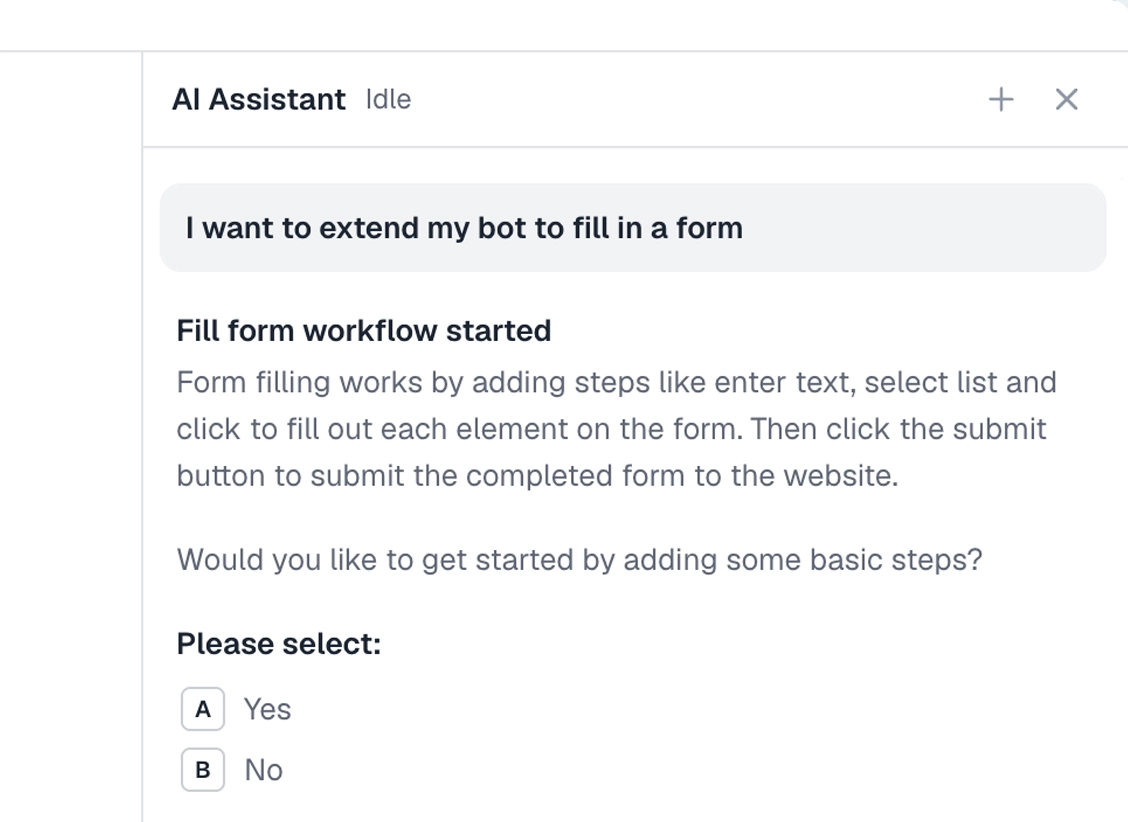
Add the Claude skill and describe the form. It builds the bot for you, no-code or code, and handles the tricky parts like dynamic fields, dropdowns, and waits.
What can you automate?
Most forms can be filled by a bot. A couple of cases worth knowing first.
Works well
- Data entry from webhooks
- Passing data from Google Sheets into online forms
- Automating login forms
- Inputting customer data
- Automating messaging
Harder
- Long multi-page forms
- Complex forms with conditional questions
- Sites with throttling or rate limiting
Don't try
- Placing bets
- Vote rigging
- Spamming web forms
What I'd watch out for
The range of forms out there is broad, so the use cases are broad too. I won't pretend it is all easy. Forms hide surprises, and a learning curve is real. Here is what I would watch for.
Data in the wrong field
If you see a value land in the wrong place, a color in the price field for example, the selector is wrong or it picked the wrong element. You can fix it in the no-code tool with the selector tool, or directly in your code.
Long forms with many steps
Break a long form into several axioms, one per page, then load them into a single controller axiom that runs each one in order with the run another axiom step.
Cookies
If you log into a site, you either have the run sign in each time, or you store the cookies so the session carries over. Storing the cookies is the method we recommend.
Iframes
Forms in legacy systems are often embedded in iframes. We have a mode to handle that, turn it on in the selector tool. If that does not work, inspect the page and check whether the iframe has a URL you can open to reach the form directly.