How to scrape a page with the axiom.ai MCP server and Step API
Scrape a page through MCP, whether you ask for it yourself or an agent decides it needs the data. The axiom.ai MCP server runs Step API steps in a real browser and hands the results straight back, ready to save, check or feed into the next task. It runs on demand, with nothing to build or save first. This guide uses Claude Code, though the same tools work from any MCP client.
Getting started
You need:
- The axiom.ai desktop app installed and logged in. The MCP server ships with it.
- Claude Code installed.
- The axiom.ai Claude skill, a Claude Code plugin that turns a plain-language request into a working automation. Install it with
/plugin install axiom@axiom-skillsafter adding the marketplace.
Step 1: Set up the MCP server
Follow Desktop app MCP server to set it up in Claude Code. You will be asked for your API key, which you can find under Credentials and API key in the Dashboard. See Generate an API key for the full steps.
Step 2: Ask for the scrape
Describe what you want:
Use the axiom MCP and the Step API scraper to get the headline
and link from https://www.bbc.co.uk/search?q=harry+kane&d=NEWS_PS,
5 pages, into kane.csv.
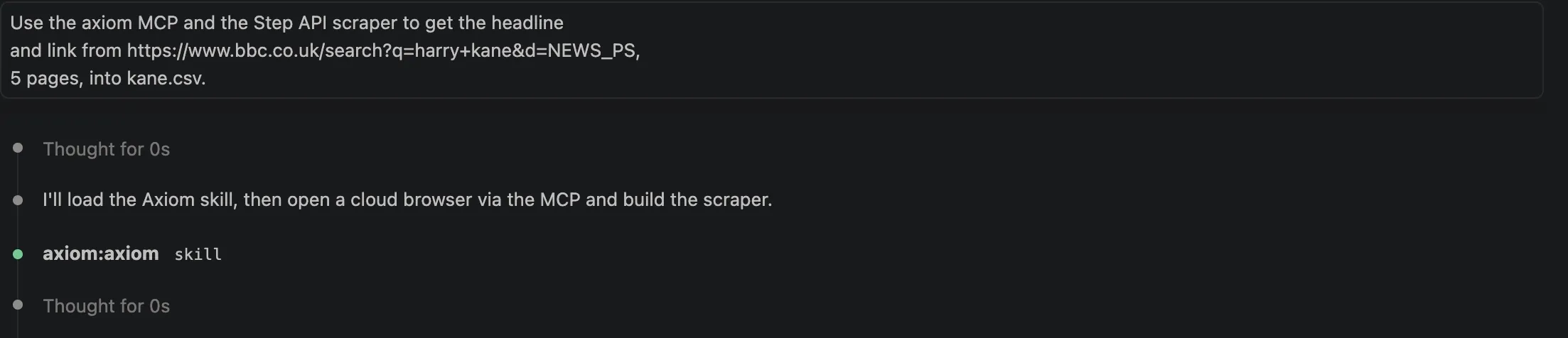
That's the whole prompt. The agent opens the page, works out the selectors for the headline and the link, finds the next button, and fills in the rest of the smart scrape step, which takes a url, a selector list, a pager for the next button, a max_results cap and a settings object:
const rows = await axiom.scrape(
  "https://www.bbc.co.uk/search?q=harry+kane&d=NEWS_PS",
  [
    { selector: "...", resultType: "textContent" },
    { selector: "...", resultType: "link" },
  ],
  pager,
  50,
  {}
);
You can write that call yourself. What the agent adds is reading the real page to fill in the values, instead of you digging through the DOM for them.
Step 3: Pin the selectors once you know them
Selector discovery costs time and tokens on every run. Once you have selectors that work, put them in the prompt and the agent skips straight to the scrape:
Use axiom mcp and step API to scrape the headline and link from
https://www.bbc.co.uk/search?q=harry+kane&d=NEWS_PS
into kane.csv, 5 pages (50 rows).

Skip selector discovery, use these verified selectors directly:
- Headline: div[data-testid="default-promo"] p[class*="PromoHeadline"] > span[aria-hidden]  (resultType: textContent)
- Link:     div[data-testid="default-promo"] a[class*="PromoLink"]  (resultType: link)
- Next page (pager): nav[aria-label="Page"] div[class*="ArrowPageButtonContainer"]:last-of-type a

Open ONE browser session. Make ONE scrape step call with:
  params: [url, [headline descriptor, link descriptor], pager selector, 50, {}]
Let the pager walk pages 1 to 5 (10 results per page). Do not open multiple
sessions and do not use page=N URLs.

Trim headlines, write a CSV with columns headline,link, close the session.
Being that explicit also stops the agent taking the long way round, opening a session per page or building page=N URLs instead of using the pager.
Go further than scraping
Claude picks each step from what the last one returned, and the rows land back in the conversation, so ask for more in the same prompt:
- Log in first. Type into the form and click submit before the scrape.
- Drop the page count and say "keep going until the Next button disappears".
- Pull
hrefvalues, then visit each one in the same session. - Ask for a screenshot when a selector comes back empty, then fix it on the spot.
- Send the rows somewhere other than a CSV: a table in the terminal, a JSON file you already have open, a summary of each story.
Troubleshooting
| Problem | Fix |
|---|---|
| Claude can't see the axiom tools | The desktop app isn't running, or the server was never set up. See Desktop app MCP server. |
session not found | The session was closed, or the desktop app restarted. Open a new one. |
| The scrape comes back empty | The page hadn't finished rendering. Ask for the text again, or take a screenshot to see what the browser sees. |
Wrapping up
Describe the data, watch it come back, fix the selector, run it again. To drive the same steps from your own code, see the Step API.